How to Choose the Right Large E-paper Display for Your Whiteboard Needs
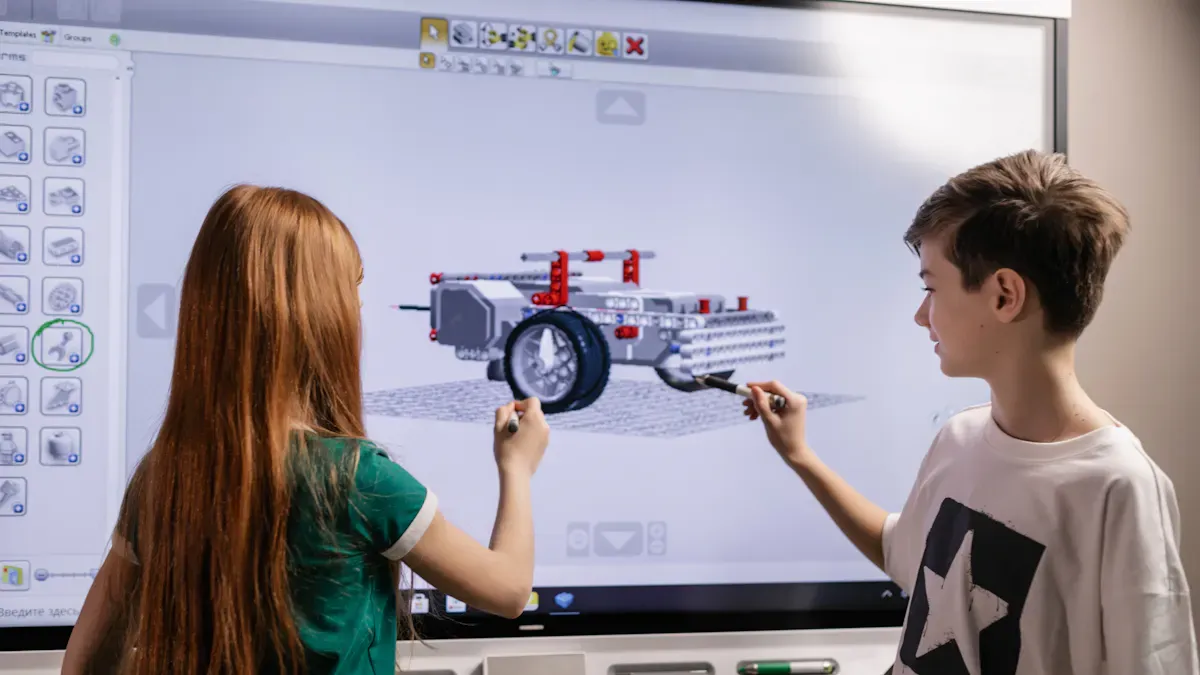
Choosing the right large e-paper display can transform your workspace. You gain energy efficiency, eco-friendliness, and the power to update content instantly. E-paper displays only use power when you refresh the screen, so you can save on electricity bills and reduce your carbon footprint.
Technology Type | Energy Consumption Characteristics |
|---|---|
E-paper Displays (E Ink) | Extremely low power consumption, only uses power during refresh cycles, can last weeks on a single charge. |
Traditional Whiteboards | Incorporate energy management features, but generally consume more power due to LED backlighting and other systems. |
Start by thinking about your space, how you plan to use the display, and your budget. Match features to your needs for the best results.
Key Takeaways
Choose a large e-paper display that fits your space and viewing needs. Measure your room to ensure everyone can see the content clearly.
Select energy-efficient e-paper displays to save on electricity bills and reduce your carbon footprint. Look for models with sustainability certifications.
Consider how you will use the display. Different environments, like classrooms or offices, require different features for optimal performance.
Prioritize displays with interactive features like touch and pen input. These enhance collaboration and engagement during meetings or lessons.
Read user reviews and consider trial periods before purchasing. This helps ensure the display meets your expectations and needs.
Define Your Needs
Space and Viewing Distance
You want your large e-paper display to look sharp and clear from every seat in the room. Start by measuring your space and thinking about where people will stand or sit. The right viewing distance ensures everyone can read text and see graphics without straining their eyes. Use the table below to match pixel pitch with the best minimum viewing distance:
Pixel Pitch (mm) | Minimum Viewing Distance (m) | Minimum Viewing Distance (ft) |
|---|---|---|
1.2 | 1.2 | 3.9 |
1.9 | 1.9 | 6.2 |
2.5 | 2.5 | 8.2 |
3.9 | 3.9 | 12.8 |
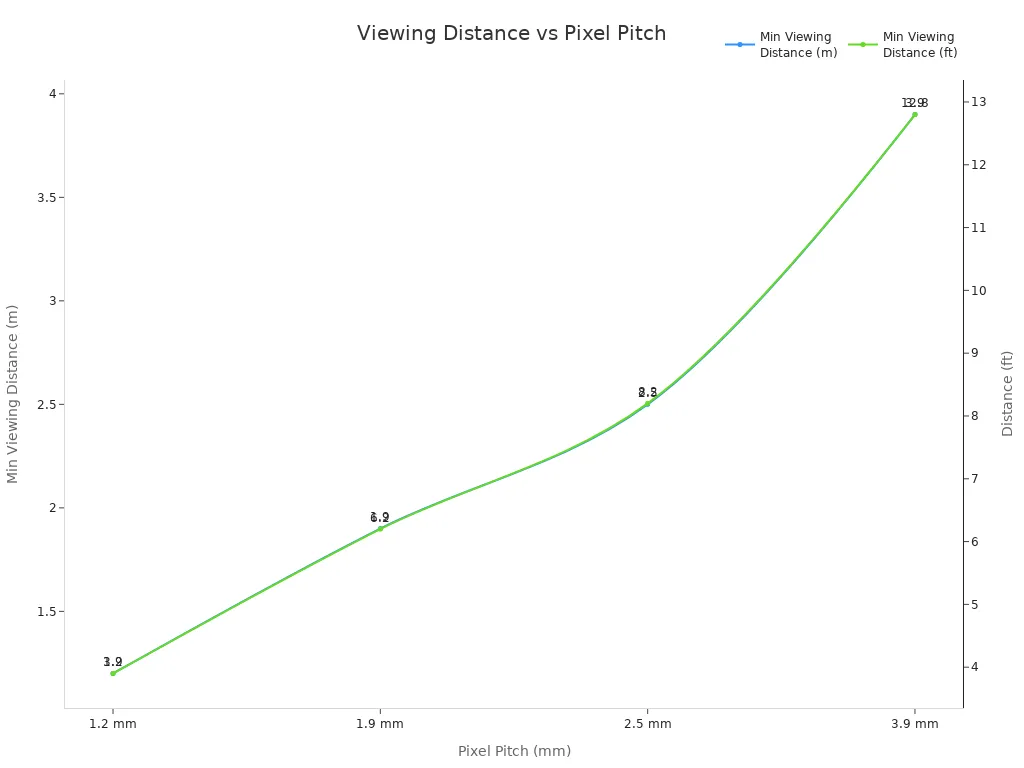
Choose a display size and pixel pitch that fit your room. For a small meeting space, a 1.2 mm pixel pitch works well. For a large classroom or conference hall, you may need a bigger display with a higher pixel pitch.
Tip: Place your e-paper display where everyone can see it without moving around. This boosts engagement and keeps meetings or lessons running smoothly.
Usage Scenarios
Think about how you plan to use your e-paper display. Different environments call for different features. Here are some common scenarios:
Usage Scenario | Description |
|---|---|
Education | Replaces traditional tools, enabling interactive learning and collaboration among students. |
Business | Serves as a unified canvas for meetings, allowing for real-time annotations and document sharing. |
Public Spaces | Facilitates community engagement and information sharing in a collaborative manner. |
You can transform a classroom into a dynamic learning hub. In a business setting, you can streamline meetings and share ideas instantly. For public spaces, you can deliver updates and engage your audience with ease.
When you define your needs, you set yourself up for success. The right e-paper display will match your space and support your goals, whether you teach, collaborate, or inform.
E-paper Display Features
Size and Resolution
You want your content to look crisp and clear from every angle. Large e-paper displays come in a range of sizes, so you can pick one that fits your space perfectly. High resolution ensures that text and graphics remain sharp, even when viewed from a distance. Wide viewing angles mean everyone in the room can see the display without color distortion or glare. If you choose a slim and lightweight model, like the Newton E-Paper, you gain flexibility. You can mount it on a wall, place it on a mobile stand, or even hang it for maximum visibility. This versatility makes installation quick and hassle-free.
Tip: Choose a display size that matches your room and audience. A larger display with high resolution works best for classrooms and conference halls.
Touch and Pen Input
Interactive features can transform your whiteboard experience. Many e-paper displays support touch and pen input, letting you write, draw, and annotate directly on the screen. This feature boosts collaboration in meetings and classrooms. You can brainstorm ideas, solve problems, and share feedback in real time. Some models include advanced touch sensors for smooth, responsive input. You get the feel of writing on paper with the benefits of digital technology.
Connectivity Options
You need a display that connects easily to your devices. Modern e-paper displays offer several connectivity options, so you can update content quickly and efficiently. Here’s a quick overview:
Connectivity Type | Description |
|---|---|
Wi-Fi | Updates via local area network, simpler and more adaptable, wireless data with wired power. |
USB | Local content transfer, no internet required, direct device connection. |
Bluetooth | Multi-mode control with dedicated function buttons for switching between update methods. |
Wi-Fi lets you push updates from anywhere in your network. USB gives you a reliable way to transfer files without internet access. Bluetooth offers flexible control, perfect for switching between different update methods. You stay in control, no matter your setup.
Power and Sustainability
You care about energy efficiency and the environment. E-paper displays use less than 1 milliwatt of power, while LCDs and OLEDs can use hundreds of milliwatts. This means you save money and reduce your carbon footprint. Check out the comparison:
Display Type | Power Consumption (mW) |
|---|---|
E-Paper | |
LCD | 100-400 |
OLED | 50-300 |
Many e-paper displays also meet top sustainability standards. Look for certifications like ISO 14001, RoHS, and Energy Star. These guarantee that your display is energy efficient and free from hazardous substances.
Certification Type | Description |
|---|---|
ISO 14001 | Environmental Management Standard |
RoHS Compliant | Restriction of Hazardous Substances |
Energy Star Certified | Signifies energy efficiency |
Note: Choosing an e-paper display with these certifications shows your commitment to sustainability and responsible technology use.
Durability and Build
You want a display that lasts. Manufacturers use high-quality materials to ensure durability and performance. Here’s what goes into a top-tier e-paper display:
Component | Description |
|---|---|
Substrate | Plastic or glass used as the base for the display. |
Electrophoretic ink film | Microcapsule film containing charged black and white particles for image display. |
Thin-film transistor (TFT) | Backplane for controlling pixel-level image formation. |
Transparent electrodes | Typically made from indium tin oxide (ITO) for conductivity. |
Protective top layer | Includes anti-glare and oleophobic coatings for durability and visibility. |
Controller IC boards | Integrated for managing display functions. |
Optional touch sensors | Added for interactive capabilities in some displays. |
Manufacturing process | Involves coating substrates, laminating layers, and quality control checks before shipment. |
Slim and lightweight designs, like Newton E-Paper, make installation easy and safe. With a thickness of just 16.24 mm and a weight of 2.3 kg, you can move and mount the display wherever you need it. You get a clutter-free workspace and the freedom to adapt your setup as your needs change.
Choosing a durable, eco-friendly e-paper display means you invest in technology that supports your goals and the planet.
Compare Top Models
Feature Table
You want to make the best choice for your workspace. Comparing top models side by side helps you see which features matter most for your needs. The table below highlights key differences among InkPoster, Newton E-Paper, and Samsung EMDX.
Model | Design & Build | Visual Quality | Power & Battery | Connectivity & Updates | Mounting Options | Sustainability |
|---|---|---|---|---|---|---|
InkPoster | Ultra-slim, 2.4 kg | Spectra 6 color, vibrant | Over a year on battery | Wi-Fi, remote/local updates | Shelf, stand, hanging | Reduces CO2, eco-friendly |
Newton E-Paper | Slim, lightweight, 2.3 kg | Full-color, crisp | Year-long battery life | Cable-free, dynamic updates | Wall, mobile, hanging | Eco-conscious, RoHS, ISO |
Samsung EMDX | Sleek, modern | Clear, high contrast | Efficient, long-lasting | Samsung E-Paper App, VXT | Flexible, easy installation | Energy Star, low emissions |
Tip: Choose a model that matches your priorities—whether you want vibrant visuals, the longest battery life, or advanced connectivity.
Brand Pros and Cons
You deserve a solution that fits your workflow. Each brand brings unique strengths to the table. Consider these pros and cons before you decide:
InkPoster
✅ Delivers vibrant color images with Spectra 6 technology.
✅ Offers the longest battery life, lasting over a year with daily updates.
✅ Supports cable-free, clutter-free installation.
❌ May require specific mounting accessories for some setups.
Newton E-Paper
✅ Provides full-color visuals and operates entirely on battery.
✅ Enables easy deployment without power cables.
✅ Supports dynamic content updates for flexible use.
❌ May have fewer advanced content management features compared to Samsung.
Samsung EMDX
✅ Integrates with Samsung E-Paper App and VXT for seamless content management.
✅ Allows both local and remote updates, perfect for dynamic environments.
✅ Features a modern design with flexible installation options.
❌ May have a higher upfront cost due to advanced features.
You can see that each e-paper display offers unique advantages. Focus on what matters most for your space—whether it is battery life, color quality, or smart connectivity. Make your choice with confidence and upgrade your whiteboard experience.
Cost and Ownership
Purchase Price
You want to make a smart investment. Large e-paper displays offer a range of prices based on size, resolution, and brand. You can find options that fit your budget and your needs. Some brands, like ORIENTRONIC, let you customize the resolution and color type. You can choose from monochrome, tricolor, or full-color displays. You do not need to worry about minimum order quantities for your first purchase. This flexibility helps you test the technology before making a big commitment.
Here is a quick look at how features affect the price:
Feature | Details |
|---|---|
Brand Name | ORIENTRONIC |
Display Technology | E Ink (Electrophoretic Principle) |
Resolution | 150–300 PPI (customizable) |
Display Types | Monochrome / Tricolor / Full Color |
Price | Based on design and quantity |
Minimum Order Quantity | No limit for first purchase |
Tip: Start with one display to see how it fits your workflow. You can scale up as your needs grow.
Maintenance and Support
You want technology that works for you, not against you. Large e-paper displays make ownership easy. You do not need to worry about complicated installations or frequent repairs. Here is why maintenance stays simple:
Lightweight design makes wall-mounting or free-standing setup a breeze.
Minimal wiring means fewer points of failure and less clutter.
Ultra-low power use reduces battery changes and service calls.
Weatherproof models (with IP65 rating) handle outdoor use with little upkeep.
You save time and money on maintenance. You also get peace of mind knowing your display will last. Choose a model with strong support and warranty options. This ensures you always have help when you need it.
Investing in a large e-paper display means you get long-term value with low ownership costs. You set your space up for success.
Final Tips
User Reviews
You want to know what real users think before you invest. User reviews reveal the strengths and weaknesses of large e-paper displays. Many users praise the convenience and portability of digital e-paper screens. You can carry a lightweight display anywhere and enjoy a customizable reading or writing experience. E-ink technology reduces eye strain, which helps you stay focused during long meetings or lessons.
However, you should consider some common drawbacks. Users often mention dependence on battery power. You need to keep your display charged for uninterrupted use. Some people notice ghosting when images change quickly. Others feel the tactile experience does not match traditional whiteboards. High-end models can cost more, but they often include useful accessories like a stylus or magnetic case.
Here’s a quick summary:
Advantages | Disadvantages |
|---|---|
Portable and convenient | Needs regular charging |
Reduces eye strain | Ghosting can occur during image transitions |
Customizable display settings | Higher cost for premium models |
Tactile writing with stylus | Limited color and storage on some models |
Tip: Read user reviews for the specific model you want. Look for feedback about battery life, writing feel, and display quality.
Trials and Warranties
You want peace of mind when you buy new technology. Many brands offer trial periods or demo units. You can test the display in your own space before making a final decision. This helps you see if the size, brightness, and features fit your needs.
Warranties protect your investment. Choose a model with a strong warranty and responsive support. You get help if something goes wrong. Brands that stand behind their products show confidence in their quality.
To maximize value and lifespan, follow these tips:
Tip | Explanation |
|---|---|
Fewer updates save battery life | |
Wireless method | Use Bluetooth Low Energy for less power use |
Display size and brightness | Standard e-paper uses less energy than large or backlit models |
Battery management | Charge only when needed; avoid unnecessary refreshes |
You deserve a display that works for you. Try before you buy, and choose a brand that supports you every step of the way.
You can transform your workspace by choosing a large e-paper display that matches your needs. Consider these key steps:
Match display features to your space and usage for maximum comfort.
Select energy-efficient models to support sustainability.
Align technical features with practical needs to boost long-term value.
This approach leads to elegant solutions that adapt to your environment. You gain a display that saves energy, enhances collaboration, and supports your goals. Explore your options and upgrade your whiteboard experience today.
FAQ
What makes e-paper displays better than traditional whiteboards?
You save energy and reduce waste with e-paper displays. You update content instantly and enjoy a glare-free view. You also avoid messy markers and erasers. E-paper displays help you create a modern, eco-friendly workspace.
Can I use e-paper displays outdoors?
Yes, you can. Many models offer weatherproof designs with IP65 ratings. You get reliable performance in sunlight and rain. Always check the product’s specifications before outdoor installation.
How long does the battery last on a large e-paper display?
You can expect battery life from several months to over a year, depending on usage and model. Fewer screen updates extend battery life. Choose a model with a strong battery for less maintenance.
Do e-paper displays support real-time collaboration?
You can collaborate in real time with many e-paper displays. Features like touch input and wireless connectivity let you share ideas instantly. You boost teamwork and keep everyone engaged.
See Also
Choosing the Ideal Smart Board for Your Business in 2025
Deciding on LED or LCD Video Walls for Your Company
Maximizing the Use of Smart Boards in Today's Classrooms
Understanding Smart Board Interactive Whiteboards and Their Functionality
An In-Depth Look at Smart Board Features for Small Enterprises