How HD Eye-Protection Laptops Safeguard Your Vision

You probably know the feeling—your eyes feel tired and dry after hours of looking at a laptop screen. Many people believe blue light is the main reason for headaches or eye strain, but research shows most symptoms come from focusing fatigue and reduced blinking. Blue light rarely causes permanent damage to your eye, and blue light glasses offer minimal help for most users. An HD Eye-Protection Laptop uses advanced technology to make your screen time more comfortable and safer for your eye health.
Key Takeaways
HD eye-protection laptops reduce eye strain with features like blue light blocking and anti-glare technology.
Using these laptops can lead to fewer headaches and better sleep quality by minimizing blue light exposure.
Follow the 20-20-20 rule: every 20 minutes, look at something 20 feet away for 20 seconds to relax your eyes.
Choose laptops with flicker-free displays and adjustable stands for optimal comfort and posture.
Combine technology with healthy habits, like blinking often and taking breaks, to protect your vision daily.
How HD Eye-Protection Laptops Support Eye Health
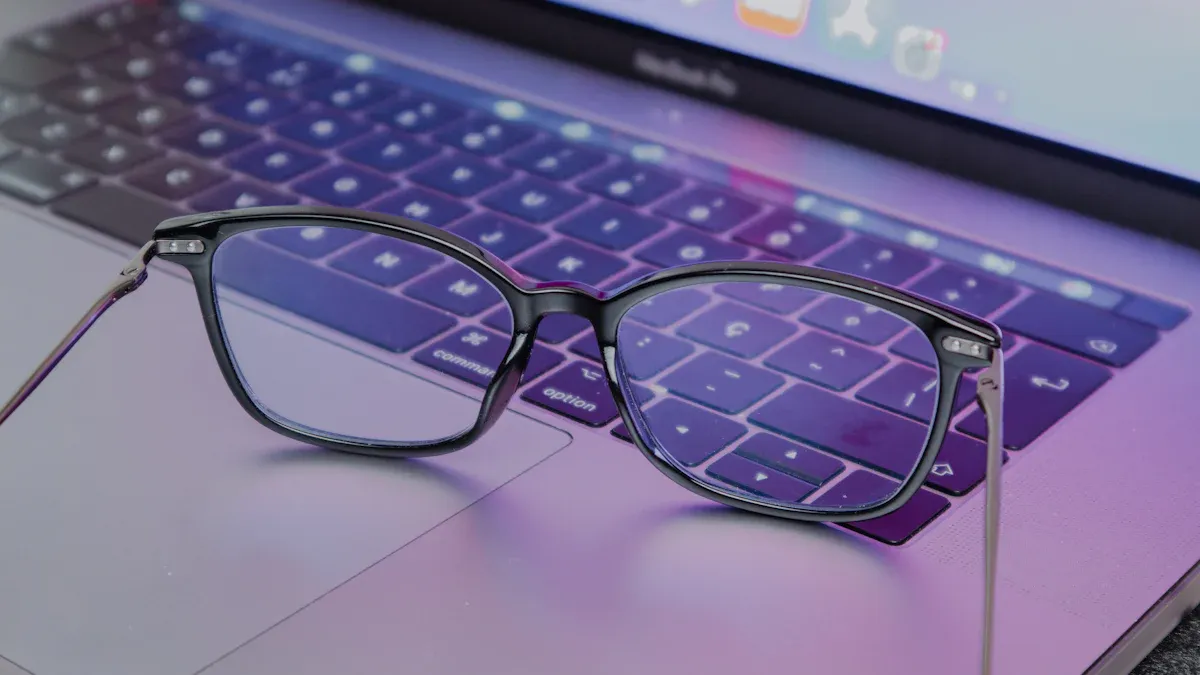
Main Protective Features
When you use an hd eye-protection laptop, you get access to several advanced features that help protect your vision. These laptops use blue light blocking technology to reduce the amount of harmful light that reaches your eyes. You may notice less glare and softer screen brightness, which makes it easier to focus for long periods. Many models also include flicker-free displays, so your eyes do not have to adjust to sudden changes in brightness.
Here are some of the main protective features you will find:
Blue light blocking filters that limit exposure to high-energy light.
Anti-glare coatings that reduce reflections and make the screen easier to view.
Flicker-free technology that keeps the display stable and comfortable.
High-definition screens that show clear, sharp images without straining your eyes.
Tip: If you have chronic dry eye, have had LASIK surgery, or experience early presbyopia, an hd eye-protection laptop can make screen time much more comfortable. These laptops help reduce the focusing effort your eyes need, which lowers muscle fatigue and digital eye strain.
Quick Benefits for Your Eyes
You will notice several quick benefits when you switch to an hd eye-protection laptop. Your eyes feel less tired after long work sessions. You blink more often, which helps keep your eyes moist and healthy. Blue light blocking features help you avoid headaches and make it easier to fall asleep at night.
Benefit | How It Helps You |
|---|---|
Less eye fatigue | Reduces muscle strain |
Fewer headaches | Limits blue light exposure |
Better sleep quality | Supports natural sleep cycles |
Comfortable viewing | Softens glare and flicker |
You do not need to worry about eye discomfort as much when you use a laptop with these features. You can focus on your tasks, enjoy movies, or read for hours without feeling the usual strain. Blue light blocking and anti-glare screens work together to create a safer and more pleasant experience for your eyes.
If you have a pre-existing eye condition, you may find that an hd eye-protection laptop makes a big difference. These laptops help you avoid the discomfort that comes from regular screens. You get a smoother, more natural viewing experience that supports your eye health every day.
The Science Behind Digital Eye Strain
Blue Light and Its Effects
You spend hours each day looking at your laptop screen. This habit can affect your sleep and your overall eye comfort. Blue light from screens can delay the release of melatonin, which is the hormone that helps you fall asleep. When you use your laptop late at night, you may find it harder to drift off. The intensity of the light also matters. Softer and dimmer light is less likely to disturb your sleep cycle. Young people are especially sensitive to blue light, and too much exposure can make it even harder to get quality rest. When your sleep suffers, your eyes do not get the recovery time they need, which can lead to more digital eye strain.
Note: Blue light does not usually cause permanent damage to your vision, but it can disrupt your sleep-wake cycle and make your eyes feel tired.
Glare, Flicker, and Eye Fatigue
You may notice your eyes feel dry or irritated after a long day of work or study. This happens because you blink less often when you focus on a screen. Incomplete blinking means your tears do not spread evenly, so your eyes dry out faster. Over time, this can lead to discomfort and even problems with your eye surface. The longer you use your laptop, the more likely you are to experience these symptoms. Studies show that people who spend more than seven hours a day on screens report the highest levels of digital eye strain and fatigue. Glare from bright screens and hidden flicker can also make your eyes work harder, causing headaches and making it tough to concentrate. If you want to protect your vision, you need to pay attention to these factors and choose technology that supports your eye health.
Blue Light Blocking and Eye-Protection Tech
BOE BNL Display Technology
You want the best protection for your eyes when you use a laptop. BOE’s Beneficial Natural Light (BNL) display technology leads the way in blue light blocking and long-term ocular protection. BNL uses four core dimensions to create a comfortable viewing experience. Vibration Modulation changes the way light moves, helping your eyes relax. Spectral Optimization balances the light spectrum, reducing harmful blue light and boosting beneficial red light. Light Form Optimization transforms harsh glare into soft, diffuse light, making it easier to read and work. Temporal Adaptation removes hidden flicker, which helps with the reduction in eye fatigue and the alleviation of headaches. You get protection every time you look at your screen.
Other Blue Light Blocking Solutions
You have many options for blue light blocking and protection. Some laptops use built-in blue light filtering lens or night mode settings to lower blue light emission. You can also wear night-time blue light blocking glasses or amber-tinted glasses for extra protection. Apps that mimic sunset help your body prepare for sleep by reducing blue light as bedtime approaches. Lowering your screen brightness is another simple way to protect your eyes. The table below shows common methods for blue light blocking and protection:
Method | Description |
|---|---|
Blue light filter | Built-in filters or 'night mode' settings on devices reduce blue light emission. |
Dimming screen | Lowering screen brightness helps decrease blue light exposure. |
Amber-tinted glasses | These glasses block blue light and may assist in sleep timing for some individuals. |
Apps mimicking sunset | Gradually reduce blue light as bedtime approaches, aiding the body's sleep preparation. |
Avoiding devices before bed | Reduces blue light exposure, helping the body prepare for sleep. |
Tip: You can combine several blue light blocking solutions for maximum protection and comfort.
Anti-Glare and Flicker-Free Displays
You need protection from glare and flicker to keep your eyes healthy. Anti-glare coatings reduce glare and reflections, so you can focus on a clearer image. Flicker-free displays manage brightness levels, which helps with the reduction in eye fatigue. Monitors designed for eye comfort often include flicker-free backlighting, low blue light modes, and optimal brightness controls. These features work together to reduce glare and provide protection for your vision. You will notice less strain and more comfort during long work sessions.
Do Eye-Protection Features Really Work?
Scientific Evidence and Expert Views
You may wonder if HD eye-protection laptops truly help your eyes. Researchers and eye care professionals agree that advanced display technologies can reduce eye strain. When you use screens with blue light blocking and flicker-free features, your eyes experience less stress. Experts explain that blue light can disrupt your sleep cycle and make your eyes feel tired. Anti-glare coatings and balanced light spectra help your eyes stay comfortable during long work sessions. You blink more often, which keeps your eyes moist and healthy. Studies show that people who use eye-protection screens report fewer symptoms of eye strain and better focus. You can work longer without feeling the usual discomfort.
Real-World User Experiences
Many users share positive stories about HD eye-protection laptops. You might notice fewer headaches and less dryness after switching to a laptop with these features. People say their eyes feel less irritated and they can concentrate for longer periods. You may find that your sleep improves because blue light blocking helps your body produce melatonin naturally. The table below shows common benefits users report:
Benefit Description | User Reported Impact |
|---|---|
Significant decrease in frequency and intensity of tension headaches after long screen sessions | |
Decrease in eye discomfort | Users report less dryness, itchiness, and irritation due to reduced glare and improved blinking habits |
Elimination of mental fog | Helps maintain clarity and concentration, allowing for longer periods of productive work without fatigue |
Improved sleep patterns | Blocking blue light aids in natural melatonin production, leading to better sleep quality |
You may notice improved productivity when your eyes feel comfortable and refreshed. Many users say they can work, study, or enjoy entertainment without the usual eye strain. You get a smoother experience and better results in your daily tasks.
Practical Tips for Eye Comfort

Choosing an HD Eye-Protection Laptop
When you shop for a laptop, you want features that support your health and visual health. Look for blue light filtering, which helps reduce eye fatigue during long hours of working on your computer. Anti-glare technology improves visibility by cutting down on reflections from your screen. Flicker-free technology prevents discomfort, especially if you are sensitive to changes in brightness. Adjustable stands let you position your screen at the right height and angle, which helps you maintain healthy vision and posture. You should also check for ergonomic adjustments, so you can tilt and raise your screen for the best viewing experience.
Tip: Choose a laptop with blue light filters, flicker-free technology, and an adjustable stand to protect your health and make your screen time more comfortable.
Here is a quick guide to help you select the right laptop:
Feature | Benefit for Your Health |
|---|---|
Blue light filtering | Reduces eye fatigue |
Anti-glare technology | Improves visibility |
Flicker-free display | Prevents discomfort |
Adjustable stand | Supports healthy posture |
Using Eye Protection Glasses and Healthy Habits
You can boost your health and comfort by using computer glasses and following healthy habits. Eye protection glasses filter blue light from your screen, which helps prevent eye strain. These glasses also reduce glare, making it easier to view your screen for long periods. Computer glasses enhance visual clarity, so you can focus better while working on your computer. You should blink often to keep your eyes moist and use artificial tears if your environment feels dry.
Follow the 20-20-20 rule: every 20 minutes, look at something 20 feet away for 20 seconds. This relaxes your eye muscles and normalizes your blink rate. Adjust your screen brightness to match your room and increase text size for easier reading. Take regular breaks to stand, stretch, and move. Optimize your workspace by keeping your screen at arm’s length and slightly below eye level.
Note: Combining computer glasses with healthy habits gives you the best protection for your health and visual health.
Here are some simple steps for daily eye comfort:
Wear computer glasses to filter blue light and reduce glare.
Blink often and use artificial tears if needed.
Follow the 20-20-20 rule to relax your eyes.
Adjust your screen settings for comfort.
Take breaks and move every hour.
You protect your vision when you choose HD eye-protection laptops with advanced features like BOE BNL technology. These laptops help you avoid eye strain and support better sleep. You notice fewer headaches and enjoy more restful sleep after long hours at your screen. You can combine technology with healthy habits for lasting comfort. Try the 20-20-20 rule, optimize your workspace, and practice conscious blinking. These steps help your vision and improve your sleep. New laptops, like the Spacetop G1, let you position your digital workspace at eye level, which supports your vision and sleep. The future of eye-friendly tech looks bright. The market for these devices is growing fast, with new features like privacy filters and eco-friendly materials. You can expect even more ways to protect your vision and enjoy better sleep.
Aspect | Details |
|---|---|
Market Size Projection | USD 2.5 billion by 2028, growing at a CAGR of approximately 6.8% (2023–2028) |
Future Growth Factors | Integration with privacy filters and blue light reduction, adoption of eco-friendly materials |
FAQ
How do HD eye-protection laptops help protect your eyes during long computer sessions?
HD eye-protection laptops use advanced screen technology. You get less blue light exposure and reduced glare. These features protect your eyes from fatigue. You can work on your computer for longer periods and feel more comfortable.
Can blue light from computer screens damage your eyes?
Blue light from computer screens does not cause permanent damage. You may experience tired eyes or trouble sleeping. You can protect your eyes by using blue light filters and adjusting your computer settings.
What features should you look for in a computer to protect your eyes?
You should choose a computer with blue light blocking, anti-glare coating, and flicker-free display. These features protect your eyes and make your computer time more comfortable. Adjustable stands also help you maintain healthy posture.
Do eye-protection features work on all digital devices or just computers?
Most eye-protection features work on computers and other digital devices. You can protect your eyes when you use tablets, smartphones, and monitors with blue light blocking and anti-glare technology.
How can you protect your eyes if you use a computer for school or work every day?
You should follow the 20-20-20 rule. Take breaks from your computer. Adjust your screen brightness. Use blue light filters. These habits protect your eyes and help you stay comfortable during long computer sessions.
Tip: You can combine healthy habits with eye-protection technology to protect your eyes every day.
Feature | Benefit for Your Eyes |
|---|---|
Blue light filter | Less blue light exposure |
Anti-glare coating | Reduced glare |
Flicker-free display | Stable brightness |
Adjustable stand | Better posture |
See Also
Effective Ways To Shield Your Eyes From Screens
Understanding Eye Protection Screens For Healthier Vision
Essential Display Technologies For Eye Safety In 2025