HDR Makes Your Photos and Videos Shine Brighter
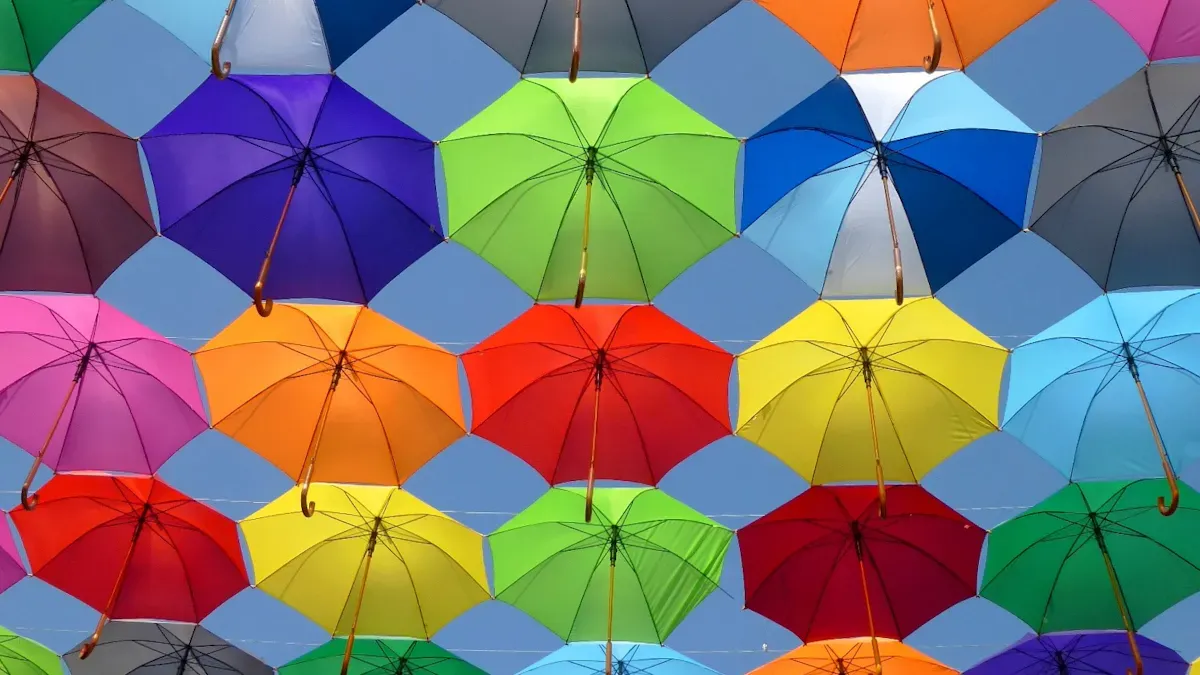
HDR transforms your experience by expanding the brightness and color range in hdr images and videos. You see hdr images with vivid highlights and deeper blacks, making each image appear more lifelike. When you view hdr content on your device, the technology delivers striking clarity and immersive visuals. According to user studies, hdr displays provide a significant subjective advantage in high-brightness, high-saturation scenes compared to standard displays.
Content Type | HDR Performance | SDR Performance |
|---|---|---|
High-brightness, high-saturation | Significant subjective advantage | Less stable in high brightness |
Low brightness or color | Advantages diminish or reverse | Sometimes performs better |
High motion intensity | HDR may show artifacts | More stable visual quality |
Key Takeaways
HDR enhances your viewing experience by providing brighter highlights and deeper blacks, making images more lifelike.
Use HDR in high-contrast situations, like landscapes at sunrise or sunset, to capture every detail in both shadows and highlights.
Modern devices, including smartphones and TVs, support HDR formats like HDR10 and Dolby Vision for optimal viewing.
Enable HDR features on your devices to unlock their full potential, ensuring you enjoy the best image quality.
HDR technology captures a wider color range, allowing you to see vibrant and accurate colors that reflect real life.
What Is HDR
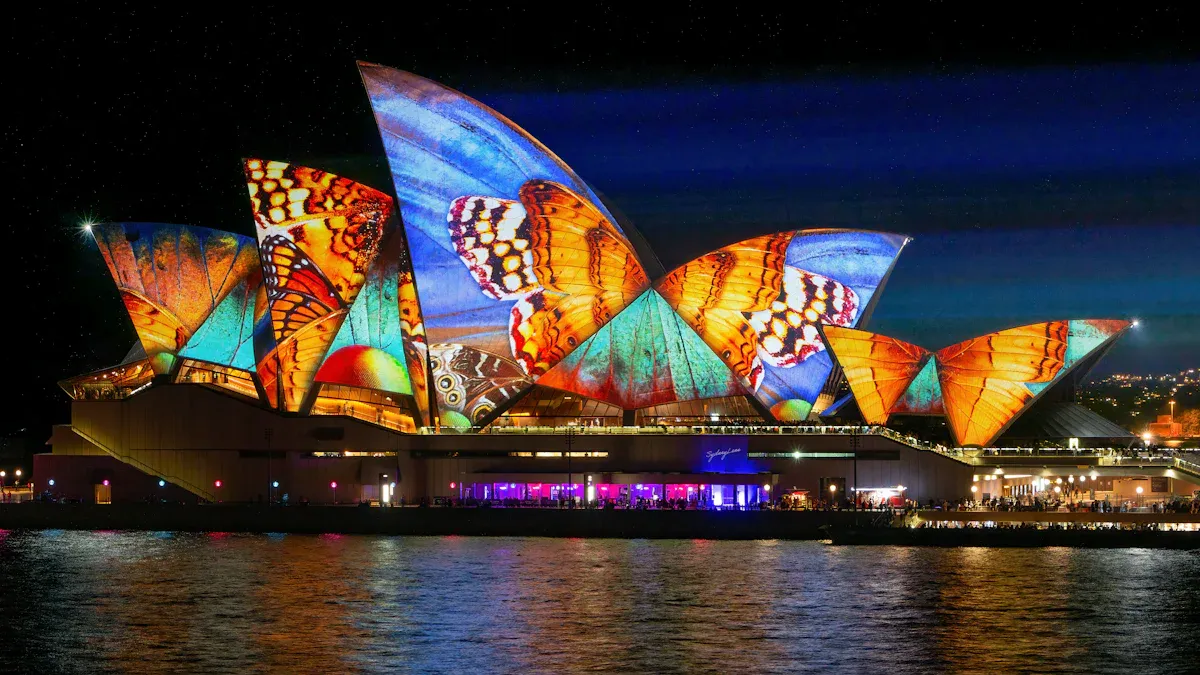
HDR Definition
You encounter hdr every time you view modern photos or videos that look strikingly real. HDR stands for high dynamic range. This technology changes how you see digital images and video by expanding the range between the darkest blacks and the brightest whites. HDR uses advanced processing to enhance the contrast ratio, which means you see more detail in both shadows and highlights. Unlike standard imaging, hdr systems allow you to experience a broader spectrum of luminance levels. This results in images that appear more lifelike and immersive.
HDR in display technology enables your TV or monitor to show improved contrast levels when playing hdr content. You notice brighter highlights, deeper blacks, and vibrant colors, all while maintaining detail across the entire image. High dynamic range display technology increases the dynamic range of luminosity, which preserves details in both bright and dark areas. This improvement leads to a more realistic visual experience that closely matches what your eyes see in the real world.
Why HDR Matters
You benefit from hdr because it solves a common problem in photography and videography. Many scenes have both very bright and very dark areas. Standard cameras and displays cannot capture or show all the details in these situations. HDR enables you to see a broader dynamic range, which is vital for maintaining detail in both highlights and shadows.
Tip: Use hdr when photographing landscapes at sunrise or sunset, interiors with bright windows, or scenes with dramatic skies. These situations often have high contrast, and hdr systems help you capture every detail.
HDR is especially useful in high-contrast environments where a single exposure cannot capture details in both shadows and highlights.
Ideal situations for hdr include:
Landscapes with bright skies and dark ground
Indoor scenes with sunlight streaming through windows
Outdoor scenes at sunrise or sunset
When you use hdr, you get images and videos that reflect a more accurate representation of what you see with your own eyes. Dynamic range display technology ensures that you do not lose important details, even in challenging lighting conditions. As a result, hdr has become essential for anyone who values image quality, whether you are a casual photographer or a professional content creator.
How HDR Works
Brightness and Contrast
You experience the power of hdr every time you see a photo or video with dazzling highlights and deep, rich shadows. This technology transforms your viewing by expanding the range between the darkest and brightest parts of an image. Standard displays often struggle to show detail in both bright and dark areas at the same time. Hdr solves this problem by using advanced hardware and software to deliver a much wider dynamic range.
When you use hdr-capable monitors, you unlock brightness levels that can reach 1,000 nits or more. This is a huge leap from standard dynamic range displays, which usually max out at 100 nits. The difference becomes clear when you compare the two side by side:
Display Type | Typical Brightness (nits) |
|---|---|
SDR | Up to 100 |
HDR | 1,000 - 10,000 |
Hdr monitors can show highlights that truly shine, while still preserving detail in the darkest shadows. This means you see images that look more like what you see in real life. The technology uses techniques like global and local contrast enhancement. These methods divide the image into many regions and adjust the contrast in each one. As a result, you get deeper blacks and brighter highlights without losing important details.
Technique | Description |
|---|---|
Enhances detail in both shadow and highlight areas by dividing the image into over 1,000 regions for localized contrast enhancement. | |
Dynamic Black | Adjusts light output dynamically based on content, optimizing contrast without sacrificing detail in shadows or highlights. |
Hdr also uses perceptual tone mapping, which matches the way your eyes respond to light. This allows the display to show a more natural transition between bright and dark areas. You notice smoother gradients and less banding, making the image feel more immersive.
Tip: When you watch hdr content, pay attention to scenes with both sunlight and shadow. You will see details in both areas that would be lost on a standard display.
Color Range
Hdr does not just improve brightness and contrast. It also expands the range of colors you can see. Standard displays use a limited color space called Rec. 709, which covers about 35% of the colors visible to the human eye. Hdr uses advanced color spaces like Rec. 2020 and DCI-P3, which cover more than 75% of the visible spectrum. This means you see colors that are richer, more vibrant, and closer to what you see in the real world.
Standard | Color Gamut Coverage |
|---|---|
Rec. 709 | ~35% of visible spectrum |
Rec. 2020 | >75% of visible spectrum |
Hdr processing also increases the bit depth from 8 bits per channel to 10 bits or more. This allows for over 1,000 shades per color, compared to just 256 in standard displays. You get smoother transitions between colors and less visible banding.
Feature | SDR (Standard Dynamic Range) | HDR (High Dynamic Range) |
|---|---|---|
Dynamic Range | Approximately 6 stops, limiting detail in highlights and shadows | Approximately 17.6 stops, enhancing detail in both bright and dark areas |
Color Space | Rec. 709, limited color gamut and saturation | Rec. 2020, wider color gamut allowing more saturated colors |
Bit Depth | 8 bits per channel, 256 shades per color | 10 bits or more, 1,024 shades per color, smoother transitions |
EOTF | Fixed mapping of brightness | Perceptual EOTFs that better match human vision |
Metadata | No metadata for tone mapping | Uses static and dynamic metadata for improved rendering |
You benefit from hdr because it captures and displays a much larger portion of the color and brightness your eyes can see. Hdr content uses advanced color grading software, such as DaVinci Resolve Studio and VEGAS Pro, to ensure every detail and shade is preserved. This results in images and videos that feel more lifelike and immersive.
Hdr displays can reproduce colors that standard displays cannot.
Rec. 2020 allows for more saturated and accurate colors.
Hdr covers a dynamic range much closer to natural human vision.
Hdr processing improves color accuracy and vibrancy by mimicking the way your eyes perceive light. Bright areas become brighter without losing color richness. You see every detail, from the subtle tones in a sunset to the vivid colors of a flower.
Note: When you view hdr images or videos, you experience a spectrum of color and brightness that standard displays simply cannot match. This is why hdr has become the gold standard for anyone who values image quality.
Key Benefits of HDR
Brighter Highlights
You notice the difference in highlights immediately when you use hdr. Hdr displays can show much brighter highlights than standard screens. This means you see sunlight glinting off water, reflections on glass, or the sparkle of a city at night with more realism. Hdr separates brightness from color, so you get higher luminance without washing out the image. Tone mapping in hdr compresses bright areas into a visible range, keeping detail that would otherwise disappear.
Feature | HDR Devices | Non-HDR Devices |
|---|---|---|
Brightness is independent from color, allowing for higher luminance levels. | Brightness is derived from color. | |
Tone Mapping | Compresses linear-light values into a visible range without losing detail. | Limited tone mapping capabilities. |
Signal Processing | Supports linear-light signal processing for better highlight rendering. | Uses gamma-corrected sRGB. |
You experience these improvements every time you watch a movie or view hdr photography on a compatible device. The highlights pop, making scenes feel more dynamic and engaging.
Deeper Blacks
Hdr displays excel at producing deep, rich blacks. You see this advantage in dark scenes, where shadows reveal subtle details instead of turning into flat, gray patches. The wider luminance range of hdr means you do not lose important information in the darkest parts of the image. This improvement enhances contrast, making everything on screen stand out more clearly.
Feature | HDR Displays | SDR Displays |
|---|---|---|
Deeper blacks, enhanced visibility | Limited black levels, less detail | |
Luminance Range | Wider range, revealing more details | Narrow range, missing critical details |
Contrast Ratio | Significantly higher, better distinction | Lower, harder to distinguish details |
When you view hdr content, you notice how shadows and dark areas look more natural. This makes movies, games, and hdr photography more immersive and true to life.
Accurate Colors
Hdr technology brings you colors that look vivid and true. You see a wider range of shades, from the deepest reds to the brightest blues. Hdr expands the dynamic range, capturing details in both bright and dark areas. Tone mapping combines multiple exposures, preserving midtones, highlights, and shadows. Dynamic metadata adjusts brightness and color frame by frame, so every scene looks its best.
Hdr captures details in both bright and dark areas.
Tone mapping preserves midtones, highlights, and shadows.
Dynamic metadata adjusts brightness and color for each frame.
Wide Color Gamut delivers vibrant colors, close to what you see in real life.
Hdr displays reach higher brightness, showing bright highlights without losing detail.
Higher bit depth means billions of colors, reducing banding.
Advanced display technologies like OLED and quantum dots improve contrast and color accuracy.
You benefit from hdr because it makes every photo and video look more lifelike. Whether you are editing hdr photography or streaming a movie, you see colors as they were meant to be seen.
Tip: For the most accurate colors, use hdr displays that support wide color gamuts and high bit depth.
Enhanced Detail
Hdr gives you more detail in every image. You see the difference when you compare hdr to standard dynamic range. Hdr shows deep blacks and bright highlights at the same time, so you do not lose detail in shadows or bright spots. Hdr displays use wide color gamuts and higher bit depth, which means smoother gradients and more natural transitions.
Aspect | HDR | SDR |
|---|---|---|
Dynamic Range | Wider dynamic range, showing deep blacks and bright highlights simultaneously | Limited dynamic range, losing details in shadows and highlights |
Brightness | Exceeds 1000 nits, enhancing bright scenes | Tops out around 100 nits, limiting brightness |
Color Handling | Utilizes wide gamuts like Rec2020 and 10-bit depth for more shades and natural gradients | Uses Rec709 and 8-bit depth, resulting in choppier color transitions |
You notice enhanced detail in everything from landscapes to portraits. Hdr makes textures, patterns, and fine lines stand out. This improvement helps you appreciate the full beauty of hdr photography and video.
Note: Consumer surveys show that hdr enhances storytelling through richer contrast, deeper colors, and immersive visual cues. You get a more engaging viewing experience every time you use hdr.
HDR Video on Devices
HDR Video on Phones
You experience hdr video on modern smartphones with stunning clarity and color. Leading devices like the iPhone 13 and Samsung Galaxy S23 support formats such as HDR10 and Dolby Vision. These phones use advanced displays that reach high brightness levels, making hdr content visible even in bright sunlight. You benefit from hdr because your phone can show vibrant highlights and deep blacks, whether you watch movies or record your own clips.
Requirement | Description |
|---|---|
Display Capabilities | Modern smartphones have displays optimized for hdr, providing high peak brightness and contrast. |
Brightness Levels | Devices can achieve high brightness levels, essential for hdr, even in outdoor conditions. |
Metadata | Support for hdr metadata is crucial for optimal playback and viewing experiences. |
HDR Standards | Devices support hdr standards that allow for mastering up to 10,000 nits. |
Outdoor Viewing | Smartphones are designed for visibility in bright sunlight, enhancing hdr viewing experiences. |
Tip: When you watch hdr video on your phone, you see more detail in both shadows and highlights, making every scene look more lifelike.
HDR Video on TVs
You unlock the full potential of hdr video when you use modern TVs. Brands like LG and Samsung offer models that support multiple hdr formats, including HDR10 and Dolby Vision. These formats deliver dynamic contrast and color, adjusting frame by frame for the best possible image. Many TVs also support HLG, which works well for live broadcasts and streaming platforms.
HLG uses a standard signal with a logarithmic curve for extra brightness, making it ideal for broadcast without special metadata.
Dolby Vision and HDR10+ adjust settings for each frame, but require metadata for optimal performance.
HLG is available on platforms like BBC iPlayer, Freeview Play, and YouTube, and is supported by LG, Sony, Samsung, Panasonic, and Hisense TVs.
You notice the difference when you watch hdr video on a compatible TV. The colors appear richer, and the contrast feels more dramatic, especially in dark or bright scenes.
HDR Video in Cameras
You capture hdr video with advanced cameras like the Sony Alpha 7 IV and Canon EOS R5. These cameras support formats such as HDR10 and HLG, allowing you to record scenes with a wide dynamic range. When you shoot with hdr, you preserve detail in both the brightest and darkest parts of your video. This gives you more flexibility during editing and ensures your footage looks great on hdr monitors and displays.
Device Category | Example Models with HDR | HDR Format Supported |
|---|---|---|
TVs | LG OLED, Samsung QLED | HDR10, Dolby Vision |
Smartphones | HDR10, Dolby Vision | |
Cameras | Sony Alpha 7 IV, Canon EOS R5 | HDR10, HLG |
Note: When you view your hdr video on hdr monitors, you see the full range of color and brightness your camera captured.
HDR vs SDR

Visual Differences
You see the most dramatic changes when you compare hdr and sdr side by side. Hdr brings out details in both the brightest and darkest parts of an image. You notice sunlight shining through clouds or the deep shadows in a night scene. Hdr displays support a much wider brightness range, reaching up to 10,000 nits. Sdr screens usually stay between 100 and 300 nits, so highlights look less intense.
Color depth also sets hdr apart. You get billions of colors with hdr, thanks to 10 or 12 bits per channel. Sdr limits you to 16.7 million colors with only 8 bits per channel. This difference means you see smoother gradients and more lifelike shades in hdr content. The contrast ratio is higher with hdr, so you spot subtle differences between light and dark areas. Sdr images often look flatter and less dynamic.
Feature | HDR | SDR |
|---|---|---|
Brightness Range | Supports a wider range, up to 10,000 nits | Limited to 100-300 nits |
Contrast Ratio | Higher, allowing better differentiation | Lower, less dynamic imagery |
Color Depth | 10-12 bits per channel, billions of colors | 8 bits per channel, 16.7 million colors |
Tip: When you watch hdr video, pay attention to scenes with bright highlights or deep shadows. You will see more detail and richer colors than on sdr displays.
Quality Comparison
Hdr raises the bar for image quality. You experience a wider spectrum of brightness levels, which helps you see detail in both dark and bright areas. Sdr compresses light into a narrow range, so you lose information in extreme highlights or shadows. Hdr expands visible contrast, making every scene look more three-dimensional.
Color accuracy improves with hdr. You see colors that match real life, because hdr requires a wide color gamut and high fidelity. Sdr may distort colors, so images can look less natural. When you view hdr content, you notice how every frame feels more immersive and true to your eyes.
Aspect | HDR Description | SDR Description |
|---|---|---|
Brightness | HDR can render a wider spectrum of brightness levels, enhancing detail in both dark and bright areas. | SDR compresses light into a narrower range, limiting detail in extreme brightness and darkness. |
Contrast | HDR expands visible contrast, allowing for greater detail in shadows and highlights. | SDR has limited contrast, which can result in a flatter image. |
Color Accuracy | HDR requires high color fidelity and wide color gamut for effective representation. | SDR may not accurately reproduce colors, leading to potential distortion. |
You benefit from hdr every time you watch a movie, play a game, or view hdr photography. The technology delivers visuals that stand out, making your entertainment more engaging and realistic.
Using HDR
Enabling HDR Features
You can unlock the full potential of hdr by enabling the right features on your devices. Most modern smartphones and TVs support hdr, but you need to activate it for the best results. On your iPhone or Samsung Galaxy phone, open the camera or display settings and look for the hdr option. Toggle it on when you want to capture or view high dynamic range content. For LG TVs, first make sure you are displaying hdr content. Then, open the settings menu and select the appropriate hdr picture mode. Adjust brightness and contrast to enhance the hdr quality.
Here is a simple process for enabling hdr on popular devices:
Confirm your device supports hdr and is displaying hdr content.
Access the settings menu and locate the hdr or picture mode option.
Select the hdr mode and fine-tune brightness and contrast for optimal results.
Tip: Only enable hdr when you view or capture hdr content. Leaving hdr on all the time can reduce image quality for standard content.
HDR Best Practices
You can achieve the best results with hdr by following a few proven methods. When capturing hdr photos, use techniques that maximize dynamic range and detail. The traditional multi-exposure method works well for landscapes and scenes with high contrast. Capture two or three exposures of the same scene, then use post-processing software to combine them. Algorithms will stitch together the best parts of each exposure, balancing bright and dark areas.
The table below summarizes common hdr methods and their uses:
Method | Description |
|---|---|
HDR PQ | Delivers great results straight from the camera, with minimal processing. |
Traditional HDR | Merges multiple RAW exposures for the widest dynamic range. |
In-camera HDR stacking | Combines exposures in-camera, ideal for static subjects like landscapes. |
Multi-exposure method | Captures several exposures to cover shadows, highlights, and mid-tones for post-processing. |
Avoid leaving hdr enabled for all content. This can cause washed-out colors and poor contrast, especially with non-hdr material.
Do not rely solely on auto hdr settings. Manual adjustments often produce better results.
Note: You get the most lifelike images and videos when you use hdr thoughtfully and adjust settings based on your content.
You see hdr transform your photos and videos with brighter highlights, deeper blacks, and more accurate colors. User satisfaction ratings show that advanced hdr formats like Dolby Vision deliver even higher enjoyment. The market for hdr devices continues to grow as more people demand premium visual experiences. Explore hdr features on your devices to enjoy lifelike images and immersive entertainment. Future advancements in hdr will bring even greater realism and compatibility across platforms.
FAQ
What devices support HDR?
You find HDR support on most modern smartphones, TVs, monitors, and cameras. Check your device specifications for terms like HDR10, Dolby Vision, or HLG. Manufacturers often list these features in the product details or user manual.
Does HDR drain battery faster?
Yes, HDR can use more battery. The display works harder to produce brighter highlights and deeper blacks. You may notice shorter battery life when watching HDR videos or capturing HDR photos on your phone.
Can you view HDR content on a non-HDR display?
You can play HDR content on a non-HDR display, but you lose the enhanced brightness and color range. The device converts the image to standard dynamic range, so you do not see the full benefits of HDR.
How do you know if HDR is active?
You can check your device’s status bar or playback information. Many TVs and phones show an “HDR” icon when displaying HDR content. Some streaming apps also indicate HDR playback in their video quality settings.
See Also
Understanding HDR Technology And Its Functionality Explained
The Positive Impact Of Natural Light On Well-Being
Comparing HDR10 And Dolby Vision For Optimal 2025 Visuals