HDR vs SDR Which Is Better for Gaming and Movies

HDR gives brighter colors and stronger contrast in games and movies. SDR is better in some cases. SDR works on all devices, even old ones. It needs less bandwidth, so streaming is smoother. You see the same visuals on different screens. SDR is good for older content or if your device may not work with HDR. Think about your devices and what you watch before you pick one.
Key Takeaways
HDR shows brighter colors and stronger contrast. This makes games and movies look better.
SDR works with older devices. It also uses less bandwidth. This helps streaming stay smooth and steady.
SDR is good for competitive gaming. It gives a steady picture with fewer distractions. This helps players pay attention to the game.
Always check if your devices can use HDR before you switch. Not all content works well with high dynamic range.
Think about how you watch and what you use. HDR is great for bright and colorful visuals. SDR is better for comfort and works with more devices.
What Is HDR vs SDR?
HDR Explained
You might see HDR when you look for a new TV or monitor. HDR means high dynamic range. This lets you see brighter highlights and darker shadows. You also get more colors in games and movies. If your screen works with HDR, the picture looks more real. HDR can show over 1 billion colors because it uses 10-bit color depth. It can also get very bright, over 1,000 nits. This helps you see details in both bright and dark parts of the screen.
Tip: For the best picture, check if your device supports HDR and high dynamic range content.
Here is a simple table to show the difference:
Feature | HDR (High Dynamic Range) | SDR (Standard Dynamic Range) |
|---|---|---|
Peak Brightness | 300–400 nits | |
Color Depth | 10-bit (over 1 billion colors) | 8-bit (16.7 million colors) |
Color and Detail | More vibrant, finer details | Flatter images, less detail |
Dynamic Range | Greater variation in brightness | Limited variation |
HDR gives you more colors and keeps details in bright and dark spots. You see more depth and the scenes look more real.
SDR Explained
SDR means standard dynamic range. Most old TVs, monitors, and games use SDR. This type shows fewer colors, about 16.7 million, because it uses 8-bit color depth. SDR usually gets bright between 300 and 400 nits. Pictures may look flatter and less colorful than HDR. SDR can lose details in very bright or very dark areas.
SDR is still used a lot because it works on almost every device. You do not need special gear to watch SDR content. Many games and movies still use SDR, so you get the same look on different screens.
When you look at hdr vs sdr, hdr gives you more colors and a wider range. But sdr is still good if you want something easy to use and that works everywhere.
HDR vs SDR: Image Quality

Color and Contrast
When you play games or watch movies, you want the picture to look real and exciting. HDR gives you a much wider range of colors than SDR. You see more shades and details in every scene. In games like "Cyberpunk 2077" or "Forza Horizon 5," HDR makes neon lights pop and sunsets glow with rich, deep colors. SDR, or standard dynamic range, shows fewer colors, so the image can look flat or washed out.
The truth is that SDR movies in cinemas look dull. Like literally dull. To me, the lack of HDR makes these films lifeless. Fire, sunlight, reflections, metal sheen, and all the other visual elements that HDR elevates just don't hit like they do on a good home television. Not to mention, the level of detail in dark and bright areas is much lower. When mastered for HDR, movies literally have more for you to see. It's not just about brightness either, one knock-on effect of HDR is better color and a wider color range.
You notice the difference most in scenes with bright lights or deep shadows. HDR keeps details in both, while SDR often loses them. For example, in a movie with a dark cave and a bright torch, HDR lets you see the cave walls and the flame clearly. SDR might make the cave too dark or the flame too bright.
Here is a table to help you see the difference in color and contrast:
Feature | HDR | SDR |
|---|---|---|
Dynamic Range | Significantly greater dynamic range | Limited dynamic range |
Brightness Variation | More brightness variation | Less brightness variation |
Shadow Detail | Improved shadow detail | Often clips dark regions |
Color Range | Broader range of colors | Narrower color range |
Visual Realism | More lifelike hues and vibrant visuals | Flatter and less dynamic visuals |
You get a more lifelike and vibrant picture with HDR. SDR works well for older games and movies, but it cannot match the depth and realism of HDR content. If you use an HDR compatible display, you will see the difference right away.
Monitor type also affects contrast. VA panels give you much higher static contrast than other LCD types. OLED displays offer almost infinite contrast, making HDR look even better.
Monitor Type | Contrast Ratio |
|---|---|
IPS Panels | 1200:1 |
VA Panels | 5000:1 to 7000:1 |
OLED Displays | Near-infinite |
Strong contrast helps you see more depth in dark scenes and creates a better atmosphere, especially in games with dim lighting.
Brightness and Dynamic Range
HDR stands for high dynamic range. This means you see a much bigger difference between the darkest and brightest parts of the screen. SDR usually has a peak brightness of about 100 nits. HDR can reach up to 10,000 nits on some displays, though most home screens reach 1,000 to 2,000 nits. This extra brightness makes highlights sparkle and brings out details you might miss with SDR.
Here is a table to show how HDR and SDR compare in brightness and dynamic range:
Feature | SDR | HDR |
|---|---|---|
Peak Brightness | ~100 nits | Up to 10,000 nits |
Color Depth | 8-bit | 10-bit or more |
Dynamic Range | ~6 stops | ~17.6 stops |
Color Space | Rec. 709 | Rec. 2020 |
You see the biggest difference in scenes with both bright and dark areas. In a racing game, the sun glinting off a car looks much more real with HDR. In a movie, you can see stars in a night sky and still catch the glow of city lights. SDR cannot show this level of detail because it has a smaller dynamic range.
HDR enhances every detail in immersive game worlds, making them more engaging.
In high-contrast scenes, HDR maintains detail in both bright highlights and dark shadows, unlike SDR which often loses detail in these areas.
HDR visuals are more vibrant and lifelike, providing a richer viewing experience compared to the dimmer appearance of SDR.
Advanced HDR formats like HDR10+ and Dolby Vision push these limits even further. HDR10+ supports up to 4,000 nits, and Dolby Vision can reach up to 10,000 nits. This means you get even more vivid and dynamic visuals if your device supports these formats.
When you compare hdr vs sdr, you see that hdr gives you a much wider dynamic range, brighter highlights, and deeper shadows. SDR, or standard dynamic range, still works well for many uses, but it cannot match the impact of hdr content on an hdr compatible screen.
HDR vs SDR in Gaming
Visual Experience in Games
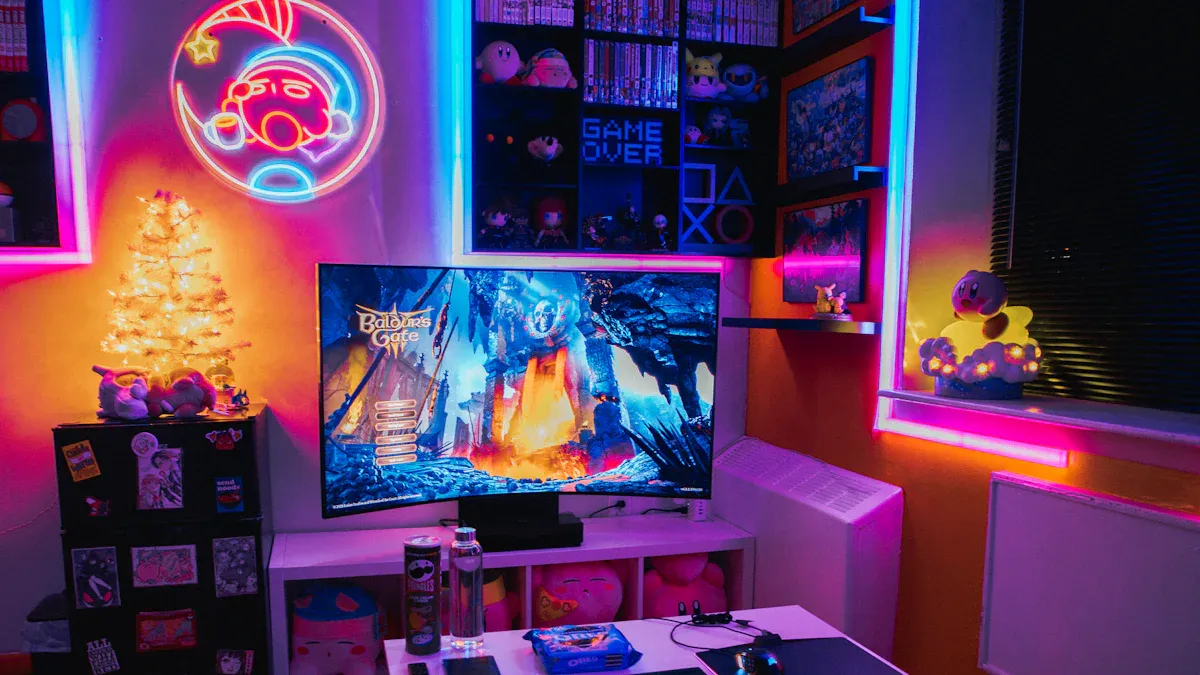
When you play games, you want the world to look as real as possible. HDR changes the way you see games by making everything brighter, more colorful, and more detailed. You notice deeper blacks and brighter highlights. Explosions, sunlight, and glowing effects stand out more. HDR lets you see details in both dark caves and sunny fields. This makes the game world feel alive.
Here is a table that shows how hdr and sdr compare in games:
Feature | HDR | SDR |
|---|---|---|
Contrast Ratio | Higher, better separation of dark and bright | Lower, less detail in shadows and lights |
Color Depth | Greater range, more realistic colors | Limited range, less vibrant colors |
Brightness | Can display extreme brightness and deep shadows | Limited brightness capabilities |
You see the biggest difference in games like "Cyberpunk 2077," "Forza Horizon 5," and "Assassin’s Creed Valhalla." HDR makes neon lights pop and sunsets look stunning. In racing games, the sun glinting off a car looks real. In adventure games, you see every detail in dark forests and bright skies. HDR enhances contrast, brightness, and color range compared to sdr. It allows for deeper blacks and brighter highlights, resulting in more realistic visuals. HDR is particularly effective in gaming, enhancing the immersive experience.
Note: You need an hdr display and hdr compatible games to see these improvements. Not all monitors or TVs support high dynamic range.
Competitive Gaming: SDR Advantages
If you play games to win, you might prefer sdr. Many pro gamers choose standard dynamic range for a reason. SDR gives you a steady, predictable picture. You do not get sudden changes in brightness that can distract you. SDR also helps you spot enemies in dark corners because the shadows are not as deep as in hdr. This can give you an edge in fast-paced games like "Call of Duty," "Valorant," or "Fortnite."
SDR uses less processing power. This means your game runs smoother and you get higher frame rates. Your eyes may also feel less tired after long gaming sessions because sdr images are less intense. If you play for hours or compete in tournaments, sdr can help you stay focused.
Here are some reasons to use sdr for competitive gaming:
Easier to see enemies in shadows
Fewer distractions from bright flashes
Smoother performance and higher frame rates
Less eye strain during long sessions
Tip: If you care most about winning and comfort, sdr might be the better choice for you.
Game Compatibility
Not every game supports hdr. Some older games only work with sdr. Even some new games do not offer true hdr content. You need to check if your favorite games support high dynamic range before you switch. If a game does not support hdr, you will not see any benefit from an hdr monitor or hdr video settings.
Game consoles like PlayStation 5, Xbox Series X, and many gaming PCs support hdr. Still, you need to turn on hdr in both your system and the game settings. Some games look better with hdr, but others may look washed out if not optimized. Always test your games to see which mode looks best.
Note: If you play a mix of old and new games, you may need to switch between hdr and sdr. SDR remains the default for many titles, so you get a consistent look across all your games.
When you compare hdr vs sdr in gaming, hdr gives you a more immersive and lifelike experience. You see more colors, brighter highlights, and deeper shadows. SDR, or standard dynamic range, still works well for competitive play and older games. Your choice depends on what you play and how you play.
HDR for Movies
Movie Visuals with HDR
When you watch movies with hdr, you notice a big change. The screen shows brighter whites and darker blacks. You see deeper blacks and brighter highlights. The colors in the middle look richer too. Movies made with hdr formats like HDR10 or Dolby Vision look more real. These movies can make you feel more emotion. If your display supports hdr, the picture looks sharper and clearer. Scenes with fire, sunlight, or shiny things stand out. You feel like you are inside the story.
Some monitors say they are 'HDR Ready' but do not show true hdr. If your screen is not bright enough, hdr will not look right. You might see dark shadows or very bright spots. Always check your device specs before you expect full hdr.
Streaming and Blu-ray Support
Most big streaming services and Blu-ray discs have hdr now. Netflix, Disney+, and Amazon Prime Video all offer hdr movies. Ultra HD Blu-ray discs also have hdr. You need a TV or projector that works with hdr to see it. Look for screens that get at least 600 nits bright. Features like full-array local dimming or OLED panels help too. HDMI 2.0 or higher lets your device use hdr10. When you stream or play Blu-ray movies, hdr makes the picture look better for most people.
Here is a table to compare streaming and Blu-ray support:
Platform | HDR Format Supported | Device Requirements |
|---|---|---|
Netflix | HDR10, Dolby Vision | HDR TV, HDMI 2.0+ |
Disney+ | HDR10, Dolby Vision | HDR TV, HDMI 2.0+ |
Amazon Prime | HDR10, Dolby Vision | HDR TV, HDMI 2.0+ |
Ultra HD Blu-ray | HDR10, Dolby Vision | HDR TV, Blu-ray player |
Home Theater Tips
You can make your home theater better for hdr movies. Try these tips:
Use tools like HCFR to set your screen’s brightness and colors.
Turn on dynamic tone mapping for better scenes. This helps hdr look its best.
Pick a display that can use dynamic tone mapping.
Change brightness and contrast to keep details in the middle colors.
Watch movies in a dark room to see hdr effects better.
To see hdr right, your screen should get very bright, over 1000 nits. Dynamic tone mapping helps hdr fit your screen.
With the right gear and settings, hdr movies look amazing at home. Every scene feels bright, colorful, and real.
SDR Benefits and Use Cases
Eye Comfort and Visibility
Sometimes your eyes get tired after watching movies or playing games for a long time. SDR can help stop your eyes from feeling this way. SDR screens are not as bright and do not use strong colors. This makes it easier for your eyes, especially if you are in a dark room or use the screen for many hours. You will not see sudden bright flashes or very dark shadows that can hurt your eyes.
Here is a table that shows how different things can change how your eyes feel when you watch for a long time:
Key Findings | Implications for Eye Comfort |
|---|---|
Prolonged use of VR headsets reduces blink rate | Leads to tear film instability and discomfort |
Tear film instability is linked to visual fatigue | Affects visibility during gaming and movie sessions |
Immersive experience of VR can strain eyes | Requires you to focus on dynamic images at short distances |
SDR keeps the picture calm and not too strong. This helps you see everything without making your eyes work too hard. If you like to play games or watch movies for a long time, sdr can feel better for your eyes.
When to Choose SDR
You may ask when sdr is the best pick. SDR is good for many uses. It works well if you have an old TV, monitor, or projector. SDR does not need any special gear or programs. You get the same picture on almost every device.
Here are some reasons to pick sdr:
SDR systems are very flexible. You can use them with many devices, even old ones.
You can make sdr systems better with updates. This means you can use your setup for a long time.
SDR is great if you want to try out display settings. It is easy to learn how screens work with sdr.
SDR also uses less data. This means your movies or games stream smoother, even if your internet is slow. You do not have to worry about things not working together. SDR is a smart pick if you want something easy, comfy, and that always works.
Compatibility and Requirements
HDR Setup Needs
You need the right equipment to enjoy HDR for gaming and movies. Here is a simple checklist to help you get started:
Make sure your graphics card supports HDR. Cards like NVIDIA RTX 2000, 3000, or 4000 series work well.
Check that your monitor or TV can show HDR10. Turn on any HDR or "HDR mode" in the display settings.
Use a strong cable. DisplayPort 1.4 or a high-quality HDMI cable will carry the signal you need.
Go to your Windows settings and switch "Use HDR" to On.
Try Auto HDR if you want to boost SDR games.
Use Windows HDR calibration tools to balance colors and brightness.
Tip: Always check your device manuals for the best results. Not all screens show true HDR, even if they say "HDR Ready."
You may face some problems when setting up HDR. Here is a table that shows common issues and what they mean:
Compatibility Issue | Description |
|---|---|
Mismatch between output and display | You might see very dark blacks or washed-out highlights. |
Limited vs full range mismatches | Fix this in your GPU settings. Make sure your cable supports the right specs. |
Cabling and port limitations | Your cable and port must support the needed resolution and color depth. |
HDR mode not detected | Check your monitor settings, try a new cable, or update your GPU drivers. |
Washed-out or overly bright image | This happens with wrong tone mapping. Calibrate your HDR settings. |
HDR capture issues | Some tools do not work with HDR. Use HDR-aware tools or turn off HDR. |
SDR as a Default Option
SDR works on almost every device. You do not need special cables or settings. If you have an older TV or monitor, SDR will always show the picture. SDR streams use less data, so your movies and games run smoother on slow internet. If you run into problems with HDR, you can switch back to SDR for a steady and easy experience. SDR is a safe choice if you want everything to work without extra steps.
How to Choose: HDR or SDR?
Assess Your Equipment
You need to look at your devices before you decide. Your TV, monitor, or projector must support HDR if you want to use it. Check the specs for brightness, color depth, and HDR formats like HDR10 or Dolby Vision. If your screen does not get bright enough or lacks proper color support, HDR may not look right. SDR works on almost every device, so you do not have to worry about compatibility.
Tip: If you use older equipment or budget displays, SDR gives you a reliable picture. You avoid setup problems and get consistent visuals.
Here is a quick table to help you check your setup:
Device Type | HDR Support Needed | SDR Compatibility |
|---|---|---|
New TV/Monitor | Yes | Yes |
Older TV/Monitor | No | Yes |
Projector | Sometimes | Yes |
If you plan to upgrade your gear soon, HDR will help you future-proof your setup. You get more options as HDR becomes standard.
Content and Preferences
You should think about what you watch or play. Some games and movies use HDR to show more colors and details. Others stick with SDR. Your choice depends on your favorite content and how you like your visuals.
Here are important factors to consider:
Production workflow: HDR needs a complex setup. SDR is easier and costs less.
Post-production: HDR gives you more flexibility in color grading. You need advanced skills and tools.
Distribution: HDR may not work on older devices. SDR is compatible everywhere.
Audience preferences: Not everyone has HDR screens. Preferences change with screen size.
Future-proofing: HDR is becoming the standard. Choosing HDR now prepares you for new technology.
Note: If you want vibrant colors and lifelike scenes, HDR is the best choice. If you value simplicity and wide compatibility, SDR works well.
You can try both modes if your device allows it. Test your favorite games and movies to see which looks better to you. 🎮🎬
If you want brighter highlights and deeper shadows, HDR is best. It also shows more detail in games and movies. SDR is good if you need it to work on many devices or play old games. Look at this table to help you choose:
Feature | HDR | SDR |
|---|---|---|
Brightness Range | Wider | Limited |
Detail Representation | More detail | Less detail |
Gaming Benefit | Better lighting and depth | Simpler visuals |
Most movie theaters use SDR with low brightness, so HDR at home can look much more real.
Try both modes if you can. Set up your display and change the settings for what you like to watch. You might see that HDR makes games and movies feel new and exciting. 🎮✨
FAQ
What do you need for HDR gaming or movies?
You need a TV or monitor that supports HDR. Make sure your device gets bright enough and uses a good cable like HDMI 2.0 or DisplayPort 1.4. Check your settings and turn on HDR mode.
Does HDR work with all games and movies?
No, not every game or movie uses HDR. You must check if your favorite titles support HDR. If they do not, you will see standard visuals even on an HDR screen.
Can SDR look better than HDR sometimes?
Yes, SDR can look better if your device does not show true HDR. SDR works well for older content and gives you steady visuals. You may prefer SDR for comfort or compatibility.
Will HDR hurt your eyes?
HDR can feel intense if you watch for a long time. You may notice bright flashes or deep shadows. If your eyes feel tired, switch to SDR or lower the brightness.
See Also
Essential Features To Consider For Gaming Monitors
Choosing Between 144Hz And 240Hz Monitors For Gaming
Comparing HDR10 And Dolby Vision For Best Picture Quality