Medical Display Buying Guide for Clinics in 2025
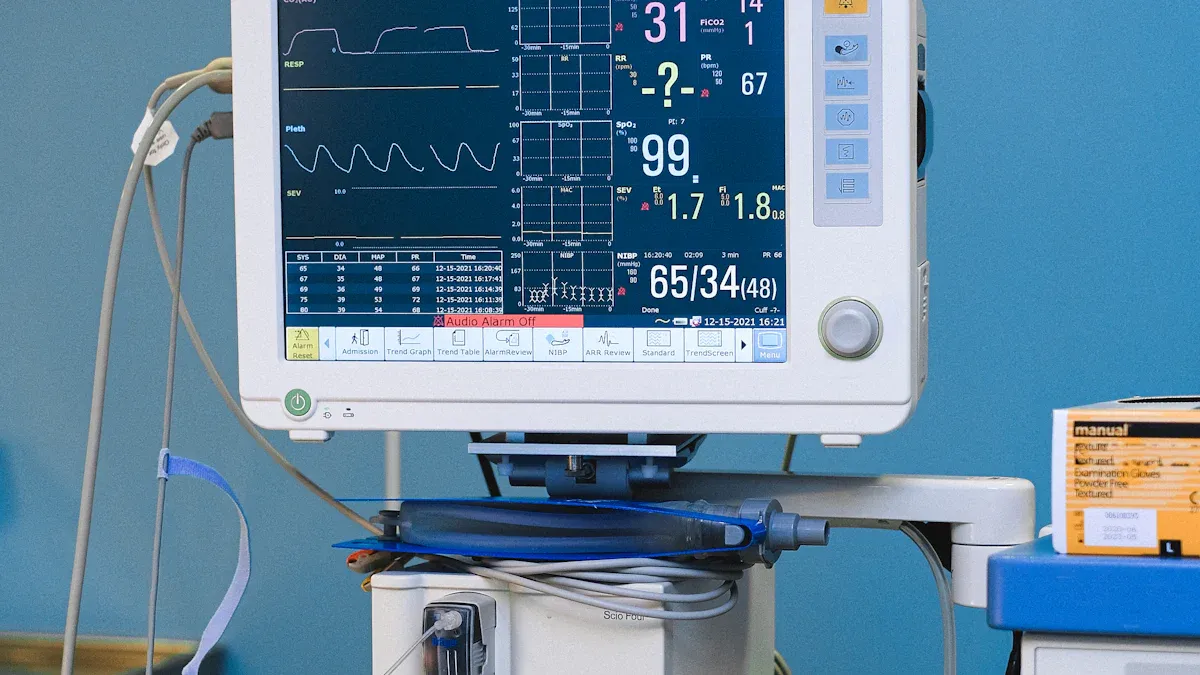
You need to pick a medical display that fits your clinic’s work and needs. Pick displays that show patient data clearly and make monitors easy to use. Make sure the display follows safety rules to keep staff and patients safe. Brands like BOE are trusted and follow the rules. Studies say better displays save time on paperwork, make nurses happier, and lower costs. The right display helps you decide faster and care for patients better.
Study Title | Findings |
|---|---|
Clinical and economic impact of digital dashboards on hospital inpatient care | Dashboards help people make choices, bring data together, and help teams work better. |
Usability Challenges in Electronic Health Records | Changing EMR cut paperwork time by 45.2%, helped patients get better care, and made nurses happier. |
Key Takeaways
Pick a medical display with high resolution and good grayscale accuracy. This lets you see tiny details and changes in patient images.
Make sure the display is DICOM compliant. This keeps image quality the same on all devices and lowers mistakes.
Choose monitors that follow safety standards like IEC 60601. This keeps staff and patients safe from possible dangers.
Think about the total cost, including fixing and upgrading. This helps you plan your budget and avoid surprise costs.
Choose the right display for each clinical area. Different jobs need different features to give the best care.
Choosing the Right Medical Display
Key Steps for Selection
You need a medical display that fits your clinic’s needs. Here are some easy steps to help you pick the right one:
Check Resolution and Grayscale Accuracy
High resolution lets you see small details. Good grayscale helps you spot changes in patient images. This is important for checking patients.Look for DICOM Compliance
DICOM makes sure images look the same on all devices. This helps you compare scans and results without mistakes.Evaluate Brightness and Contrast
Pick a monitor with the right brightness and contrast. Bright rooms need displays that stay clear even with lots of light.Test Color Accuracy
Color accuracy is important for surgery and pathology. You need to see tissue and lesions the right way.Review Safety and Compliance Standards
Your medical display should meet safety rules. Look for standards like IEC 60601 and FDA approval. These rules protect staff and patients.Assess Modularity and Scalability
Choose systems you can upgrade or add features to. This saves money and helps your clinic grow.Check Connectivity and Interoperability
Your monitor should connect with other devices and share data. This makes it easier to track patient information.Consider Durability and Infection Control
Pick displays that are easy to clean and hard to break. This keeps your clinic safe and working well.Review Battery Life
Good battery life is important for portable monitors. You need devices that work when moving patients.Calculate Total Cost of Ownership
Think about all costs, not just the price. Include maintenance, upgrades, and training.
Tip: Ask sellers for proof and safety certificates before buying. This helps you avoid unsafe choices.
Aligning Display with Clinical Needs
Your medical display should match your clinic’s work. Different jobs need different features. Use the table below to help you choose:
Medical Area | Feature Impact | Example Use Case |
|---|---|---|
Makes it easier to see disease clearly | Diagnosing with X-rays or CT scans | |
Biomedical Signal Processing | Helps you get data faster and saves money | Monitoring heart rate or breathing |
DNA Microarray Data | Keeps performance high with fewer features | Classifying leukemia from patient samples |
Your clinic must follow important rules for medical displays. The table below shows key standards:
Standard | Description |
|---|---|
IEC 60601 | Safety for medical electrical equipment |
IEC 60601-1-6 | Usability for medical devices |
IEC 60601-1-8 | Alarm systems for medical devices |
Home healthcare environments | |
IEC 60601-1-12 | Emergency medical environments |
IEC 80601-2-30 | Non-invasive blood pressure measurements |
IEC 60601-2-34 | Invasive blood pressure measurements |
IEC 60601-2-25 | ECG monitoring for diagnostics |
IEC 60601-2-27 | ECG monitoring at bedside |
IEC 60601-2-47 | Ambulatory ECG monitoring |
ISO 80601-2-55 | Respiratory gases monitoring |
ISO 80601-2-56 | Body temperature monitoring |
ISO 80601-2-61 | Blood oximetry measurements |
IEC 60601-2-49 | Devices monitoring multiple parameters |
You also need to check if your monitor meets FDA rules. This means the device passed safety and reliability tests. Software should work well in important medical places.
Note: If you use displays for patient monitoring, make sure they are easy to clean and have strong security to keep patient data safe.
When your medical display matches your clinic’s needs, you help patients and staff. You also save money and keep your clinic safe.
Display Impact on Clinical Outcomes

Diagnostic Accuracy
You need a display that helps you make good choices in radiology. The right monitor lets you see tiny changes in pictures. In radiology, you must spot small details to be accurate. Medical displays show more shades of gray and better contrast than regular screens. This helps you find diseases sooner and make better decisions for your patient.
Feature | Medical Displays | Consumer Displays |
|---|---|---|
DICOM-compliant grayscale presentation | Not listed | |
Color deviation (ΔE) | Less than 2 | More than 5 |
Diagnostic details | 6MP shows 83% more | 2MP |
Contrast ratio | 1000:1 | 300:1 |
Radiology teams use monitors with high resolution and DICOM compliance. These features help you see tumors, broken bones, and other problems. You get more details from each scan. This means you can help your patient faster and safer. Using the right display makes your work more accurate in radiology.
Tip: Always check if your monitor follows DICOM rules. This helps you avoid mistakes in your radiology reports.
Patient Monitoring Efficiency
You need to watch your patient’s vital signs quickly. Radiology and surgery teams need clear images to work together. A good monitor gives you sharper pictures and faster updates. You spend less time waiting for data and more time helping your patient.
Measurable Effect | Description |
|---|---|
Improved Image Clarity | Doctors say image sharpness is about 30% better than HD. |
Reduced Procedure Times | Clearer images help finish surgeries much faster. |
Enhanced Team Collaboration | Better pictures help teams work together more easily. |
Financial Gains | Faster surgeries mean more patients and fewer repeat visits. |
Operational Efficiency | Long-lasting panels and remote checks lower downtime and IT work. |
Radiology departments work better when everyone uses the same monitor. You finish procedures faster and save money for your clinic. You also keep your patient safer with fewer mistakes. Radiology displays that last long and have remote checks help you avoid problems.
Note: Pick monitors with remote QA features. This keeps your radiology systems working well and helps your team care for patients.
Medical Display Types & Uses
Diagnostic Displays
You need a special monitor for important medical tests. These monitors show tiny details in X-rays and CT scans. You also use them for mammograms. DICOM compliance means you see the same grays on every screen. Regular checks keep the brightness and color right. These monitors follow strict IEC and FDA rules to protect patients. Most models have high resolution, like 5MP or more. This helps you find small changes in pictures. You use these monitors for radiology and other important tests.
Specification Type | Description |
|---|---|
DICOM Compliance | Consistent grayscale for accurate diagnosis |
IEC and FDA Standards | Safety and performance requirements |
Calibration Protocols | Maintains long-term accuracy of brightness and color |
Clinical Review Displays
You use clinical review displays for everyday jobs. These jobs include looking at patient charts or talking with other doctors. These monitors cost less than diagnostic-grade monitor models. They have lower resolution, usually about 2MP. They work well for PACS viewing and quick checkups. You get good image quality and easy-to-clean screens. This helps in busy hospitals.
Clinical Review Displays – These are good, low-cost choices for PACS viewing, quick checkups, and talking with other doctors. They give clear images and are easy to clean in hospitals.
Display Type | Resolution | Cost | Purpose |
|---|---|---|---|
Clinical Review Displays | Lower | Cost-effective | General tasks, PACS viewing, consultations |
Diagnostic Displays | Higher | Higher | Critical diagnostic tasks, regulatory standards |
Surgical & OR Displays
You need a surgical display in the operating room. These monitors show real-time images with no delay. They have high contrast, so you see every detail during surgery. The design is comfortable and does not cause strain. The sealed case helps stop germs from spreading. You can clean these monitors easily to keep the OR safe. You see images from many devices at once. This helps your team make fast choices.
Feature | Description | Importance |
|---|---|---|
Ergonomic Design | Lightweight, adjustable, wide viewing angles | Reduces strain during long procedures |
Infection Control | Seamless glass, sealed housing, fanless design | Ensures sterility and easy cleaning |
Real-time Visualization | High bandwidth inputs (HDMI, DisplayPort) | Clear, immediate images for accurate surgery |
Vital Sign Monitor Displays
You use these monitors to watch heart rate, blood pressure, and oxygen levels. They also show temperature and breathing rate. These monitors collect data all the time. They use colors to show changes, so you notice problems fast. You see all the information in one place. This helps you make quick choices for your patient.
Vital Sign | Description |
|---|---|
Heart Rate | Continuous monitoring for rapid changes |
Blood Pressure | Tracks fluctuations in critical patients |
Oxygen Saturation | Assesses respiratory function and patient status |
Temperature | Identifies infections or complications |
Respiratory Rate | Monitors for respiratory distress or failure |
Bedside, Transport, and Telemetry Monitors
You use bedside monitors to watch patients right by their bed. These monitors have big screens and connect to other systems. Transport monitors are smaller and stronger. They have long battery life, so you can move patients safely. Telemetry monitors use wireless signals. This lets patients walk around while you still check their vital signs.
Monitor Type | Display Technology | Durability Features |
|---|---|---|
Bedside | Larger screens, integration capabilities | Comprehensive monitoring capabilities |
Transport | Compact size, battery life | Ruggedness for mobility, core parameters maintained during movement |
Telemetry | Wireless connectivity | Focus on patient mobility |
Tip: Pick the right monitor for each place. This keeps your patients safe and helps your team work better.
Key Features for Best Patient Monitors
Resolution & Image Clarity
You need sharp images to help your patient. Native resolution means each pixel matches the picture. This stops blurry images and helps you see small changes. In 2025, clinics use 4K monitors with 8MP resolution. These monitors let you compare scans side by side. You can find problems early. Clear images make monitors easier to use and help you work faster.
Tip: Pick a monitor with native resolution. This keeps pictures sharp and helps you make safe choices.
Luminance & Uniformity
Luminance and uniformity are important for safety. High luminance gives you bright and clear images. Uniformity means the whole screen stays the same brightness. You do not miss important details. The best monitors use special tech to keep brightness even. This helps you trust what you see and care for patients better.
Factor | Importance in Medical Displays |
|---|---|
Luminance | High luminance values give clear, detailed images for accurate diagnoses. |
Uniformity | Even brightness across the screen helps you see important information. |
Resolution | High resolution shows small details for diagnosis or research. |
Response Function & Pixel Pitch
Response function and pixel pitch change how images look. The best monitors use a pixel pitch of about 0.200 mm. This size keeps images smooth and stops you from seeing pixels. At a normal distance, you see all the details you need. Medical monitors have sensors to keep brightness and contrast steady. This helps you use the monitor safely for your patient.
Pixel pitch makes images look sharp.
Good response function keeps pictures bright and clear.
Calibration helps you trust the monitor for patient care.
Panel Types (IPS, VA, OLED)
You can pick from different panel types for patient monitors. IPS panels show great color and wide viewing angles. VA panels have high contrast for single-user diagnostics. OLED panels show perfect black and fast response. But OLED does not last as long. OLED can lose color and get burn-in if used too much. IPS panels are good for radiology and surgery. VA panels fit X-ray work. OLED panels work for endoscopy and cardiac angiography.
Panel Type | Key Strength | Ideal Clinical Application |
|---|---|---|
IPS | Color accuracy, wide viewing angle | Radiology, surgery, pathology, consultation |
VA | High contrast ratio | Single-user diagnostics like X-ray |
OLED | Perfect black, fast response | Endoscopy, cardiac angiography |
Power Supply & Safety
Safety is very important for patient monitors. Your monitor must meet IEC 60601 standards. It needs extra insulation to stop electric shock. The best monitors limit leakage current and protect against overvoltage and short circuits. These features keep patients and staff safe.
Feature | Requirement |
|---|---|
Compliance Standards | Must meet IEC 60601 standards for medical devices |
Insulation | Needs extra insulation to stop electric shock |
Leakage Current | Allowed leakage current is much lower than regular devices |
Means of Protection (MOP) | Uses air gaps, special distances, protective impedance, and insulation |
Note: Always check safety certificates before buying a monitor. This keeps your patient and clinic safe.
Compliance & Certifications
You need patient monitors that follow strict safety rules. Look for certifications like IEC 60601 for electrical safety, ISO 10993 for safe materials, RoHS for hazardous substances, REACH for chemicals, and UL94 for fire safety. These show your monitor is safe for patients and meets world standards.
Certification | Description |
|---|---|
IEC 60601 | Electrical safety and EMC standards |
ISO 10993 | Safe materials for patient contact |
RoHS | Limits hazardous substances |
REACH | Rules for chemical substances |
UL94 | Fire safety ratings for materials |
Tip: Certified monitors help keep patients and your team safe.
Patient Monitoring Display Selection
Operating Environment Considerations
Think about where you will use your monitor. Each clinic area needs something different. The emergency room is bright and busy. You need a screen that is clear and easy to read. The intensive care unit needs a monitor that works for many hours. Some rooms have dust or moisture. Pick a monitor with a sealed case for these places. This keeps your device safe and helps protect your patient. If you move monitors between rooms, get one with a strong case and long battery life. Always make sure the display is easy to clean. This stops germs from spreading and keeps everyone safe.
Tip: Choose monitor features that fit each room. This helps you care for your patient better.
Connectivity & Integration
You need good connections for patient monitoring. Strong connectivity lets your monitor link to other devices. It also connects to hospital systems. You can see patient data right away. You do not have to type in information by hand. This saves time and lowers mistakes. When your monitor links to electronic health records, you can upload and check data fast. This makes your work easier and more correct. You help your patient by keeping their information current.
A clinic with strong connections can share data between teams. You can send images, vital signs, and alerts to others. This helps everyone work together and keeps patients safe. Look for monitors with Wi-Fi, Bluetooth, and wired options. These choices let you set up your system how you want.
Connectivity Option | Benefit for Clinics |
|---|---|
Wi-Fi | Easy to set up, works in many rooms |
Bluetooth | Fast pairing with portable devices |
Wired (Ethernet) | Stable link for important data |
Note: Good connections and links to hospital systems help you avoid mistakes and care for patients better. Your work goes smoother and your team works well together.
Medical-Grade vs. Commercial Displays
Core Differences
You might ask why your clinic needs medical-grade displays. Medical displays work better and are safer than regular screens. They keep the same brightness for a long time, so pictures stay clear. These displays have higher luminance and contrast. This helps you see small changes in patient scans. Medical displays follow strict safety rules and have built-in calibration. You do not need to adjust them much. They last longer because they use strong parts. Medical displays can show up to 1 billion colors. Regular screens only show about 16 million colors. The backlight in medical displays stays bright and steady.
Feature | Medical Displays | Commercial Displays |
|---|---|---|
Luminance Stability | Superior, stays steady over time | May fade or change |
Safety Standards | Meets strict medical safety rules | Often does not meet these rules |
Calibration | Automatic, keeps images accurate | Needs manual adjustment |
Image Quality | Consistent, accurate, more colors | Can be uneven, fewer colors |
Longevity | Lasts much longer | Shorter lifespan |
DICOM Compliance | Yes | Rarely |
When to Choose Medical-Grade
Pick medical-grade displays when you need the best pictures and safety. These displays are great for jobs like radiology or surgery. They show high contrast and wide viewing angles. You can see images clearly in any light. Medical-grade screens can handle lots of use. They do not get damaged by cleaning chemicals. Some have special coatings to stop germs. Touchscreens work even if you wear gloves. This helps you care for patients right away.
Tip: Use medical-grade displays for any job that affects patient care. This helps you avoid mistakes and keeps your clinic safe.
When Commercial Displays Are Suitable
Commercial displays are fine for simple jobs. You can use them to check schedules or show info in waiting rooms. These screens cost less and work for basic needs. Do not use them for reading scans or watching patient data. They do not have the safety or picture quality needed for patient care.
Note: Always pick the right display for the job. Use medical-grade displays for patient care. Use commercial screens for office work.
Medical Display Buyer’s Checklist
Essential Questions
Before you buy a medical display, you should ask some important questions. These questions help you avoid mistakes and save money. First, ask how long the display will last. You want a display that works well for many years. Ask about how much it costs to fix or keep working. Some displays need more repairs, which can cost more over time. Check if the company will help you fix or replace the display if it breaks. Fast help keeps your clinic running and keeps your patients safe. Always ask if the price covers everything. Some sellers add extra costs later, so you need to know the full price before you buy. You should also check if the display follows safety rules and has the right certificates. This keeps your patients and clinic safe from problems.
What is the expected service life of this display?
How much will maintenance and repairs cost over time?
Who will help with repairs or replacement if the device fails?
Does the quote include all expenses, or are there hidden cost?
Does the display meet all safety and compliance standards?
Tip: Always ask for proof of certification and a clear list of costs before you decide.
Red Flags to Avoid
You should watch out for warning signs when picking a medical display. Some displays may not be good for clinics. If you see messy writing or unclear data, you might miss important patient facts. If the date or time is missing, it can cause mistakes. Stay away from displays that use confusing words or too many short forms. These can make it easy to mess up patient care. If it takes too long to add or fix data, that can cause trouble. If different doctors see different things, the display may not work well for your team. Displays that let people write opinions about patients can cause legal problems and confusion.
Missing date and time on records
Use of vague terms or unexplained abbreviations
Delayed entries or corrections in patient data
Inconsistencies between providers
Criticism or opinions about the patient in records
Note: Pick displays that keep patient data clear, correct, and safe. This helps you spend less and give better care.
You can find the best medical display by looking at what your clinic needs. Make sure the display has the right features for your work. Check if it follows safety rules and standards. Think about how much it will cost now and later. This helps you avoid extra costs and keeps your patients safe. Brands like BOE are known for being reliable. Here are your next steps:
Look at what your clinic needs and how much you can spend.
Check if the displays follow rules and will last a long time.
Teach your staff how to use the displays and keep them working well.
Taking care of your displays and making smart choices helps your clinic do better and gives patients better care.
FAQ
What is DICOM compliance and why does it matter?
DICOM compliance means your display shows images the same way each time. You see scans clearly and make fewer mistakes. This helps you compare patient pictures and make good choices.
How often should you calibrate your medical display?
You should check and calibrate your display once every year. Some displays do this by themselves. Regular checks keep images clear and colors right. This helps you trust your monitor when caring for patients.
Can you use a regular computer monitor for patient monitoring?
You should not use regular monitors for patient care. Medical-grade displays follow safety rules and show clearer images. You get better results and keep your clinic safe.
What certifications should you look for when buying a medical display?
Look for IEC 60601, FDA approval, and ISO 10993. These show your display is safe and meets medical standards. Certified monitors protect patients and staff.
How do you clean and maintain your medical display?
Use a soft cloth and the right cleaning solution. Do not use strong chemicals. Clean screens often to stop germs. Follow the maker’s instructions for best results.
See Also
Essential Digital Screen Innovations for Museums in 2025
Key Display Technologies That Are Easy on the Eyes in 2025
Choosing the Perfect Smart Board for Your Business in 2025