What Is a Video Wall and How Does It Work
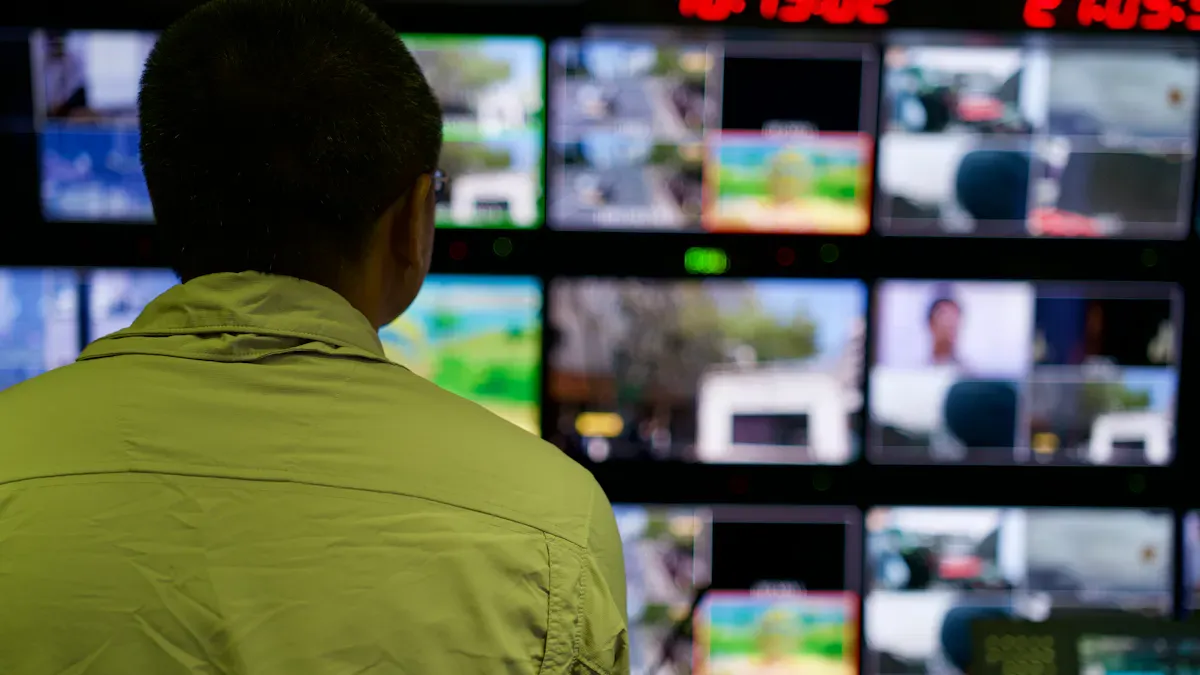
A video wall is a large display made by joining multiple screens together to show one big image or several images at once. You often see a video wall in busy places like shopping malls, airports, and stadiums because it grabs attention and delivers a seamless visual experience. Many businesses choose a video wall to boost engagement and share information clearly. Today, the global market for video walls is growing fast, especially in outdoor and retail spaces.
In 2024, the market reached over $10 billion, with North America leading in revenue.
Outdoor video walls are popular for advertising and public information.
Key Takeaways
A video wall combines multiple screens to create a large, seamless display, ideal for capturing attention in busy environments.
Video walls offer flexibility by allowing different content to be shown on each screen, making them more versatile than single displays.
Interactive features enhance engagement, allowing users to interact with content directly, which is beneficial in retail and corporate settings.
Regular maintenance and inspections are crucial to ensure video walls operate effectively and last longer, preventing issues like dead pixels or overheating.
When choosing a video wall, consider factors like viewing distance, environment, and budget to ensure it meets your specific needs.
Video Wall Basics
What Is a Video Wall
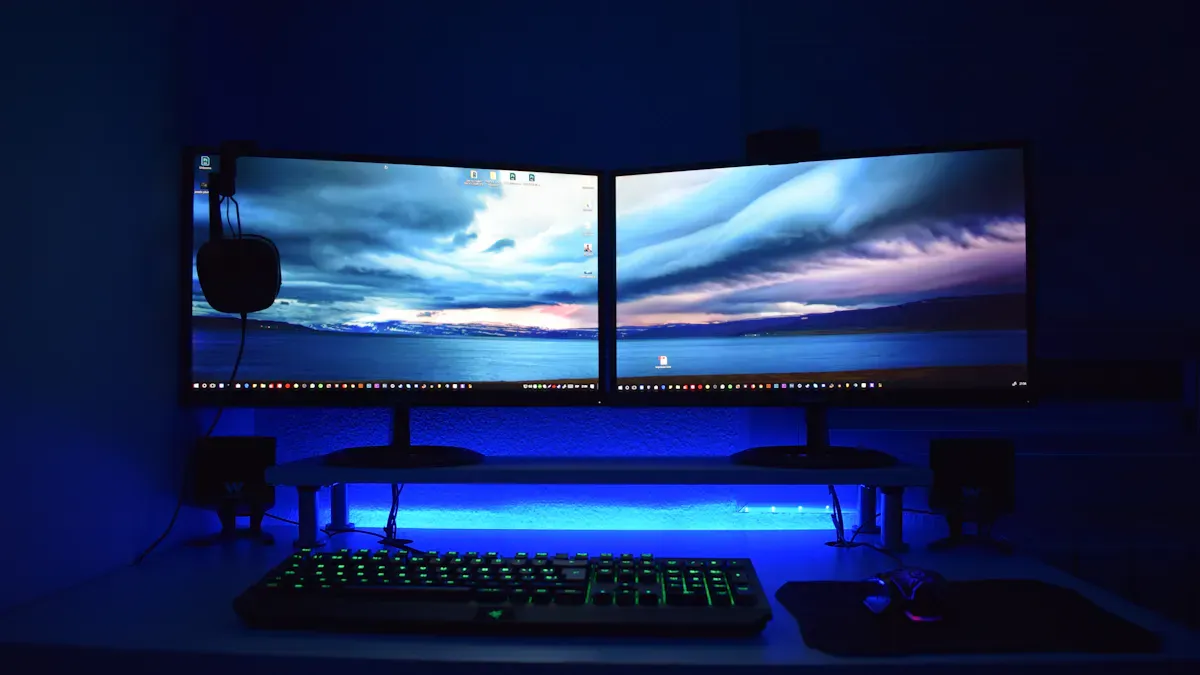
You see a video wall when many screens join together to create one big image or several images at the same time. This technology helps you share information with a large group of people. You can use a video wall in places like airports, control rooms, or shopping centers. Each screen works with the others to form a single, seamless picture. You get a clear and bright display, even in large spaces. A video wall stands out because it can show different types of content at once. You can display news, advertisements, or live feeds all together. This makes a video wall a smart choice for anyone who needs a large-scale display system.
Tip: You can change the layout of a video wall to fit your needs. You can make it wide, tall, or even curved.
Video Wall vs. Single Display
You might wonder why you should choose a video wall instead of a single large screen. A video wall gives you more flexibility. You can split the screens to show different content in each section. A single display cannot do this as easily. You also get better brightness and clarity with a video wall, especially in bright rooms.
Here is a table that compares important factors for video walls and other display options:
Factor | Description |
|---|---|
Technological Obsolescence | New technology can make older displays outdated quickly. |
Market Demand Volatility | Changes in demand can affect how much you spend on displays. |
High Capital and Operational Costs | Video walls need a bigger investment and regular maintenance. |
Regulatory and Compliance Risks | Different rules in each area can raise costs. |
Supply Chain Disruptions | Getting parts from around the world can cause delays. |
Competitive and Pricing Pressures | New display options can lower prices and affect your return on investment. |
You should think about these factors before you choose a video wall. If you plan well, you can get a strong return on your investment and enjoy a powerful display solution.
How a Video Wall Works
Main Components
A video wall uses several important parts to create a seamless and powerful display. You will find that each component plays a unique role in making the system work smoothly. Here is a table that shows how each part contributes to the overall functionality:
Component | Contribution to Functionality |
|---|---|
Video Wall Controller | Acts as the central hub, ensuring synchronized playback and extensive customization options. |
Content Management System (CMS) | Manages video wall content effectively, allowing for quick updates and dynamic content management. |
Panels | Form the main display units, creating a seamless image with ultra-thin bezels for a natural look. |
Processors for Video Walls | Control how content is shared across displays, managing layouts and high-resolution video without lag. |
Control Systems | Provide a single interface for managing content and display settings, simplifying operation and enhancing usability. |
You will see that the panels make up the collection of screens that form the large display. The controller and processor work together to keep images clear and in sync. The content management system lets you update and organize dynamic content quickly. Control systems make it easy for you to adjust settings and manage what appears on the video wall.
Tip: When you use a well-designed control system, you can switch between different layouts or sources with just a few clicks.
Role of the Video Wall Processor
The processor is the brain of your video wall. It decides how each piece of content appears on each screen. You can split the wall into different zones, so one part shows a live video feed while another displays news or advertisements. The processor keeps everything in sync, so images move smoothly across all screens without lag.
You can see how processors enable seamless images and multiple content zones by looking at how they manage synchronization. The processor assigns each screen a tile ID and arranges them in a grid. It uses a controller device to keep all screens playing content at the same time. This setup allows you to show interactive content, such as touch-enabled maps or real-time dashboards, across the entire wall or in selected areas.
Here are some ways processors help your video wall work better:
They synchronize playback, so all screens show the same image at the right time.
They let you divide the wall into zones for different types of content.
They preload content to avoid delays, even if some devices load slower than others.
They allow remote management, so you can control the wall from a central location.
Note: With advanced processors, you can create interactive experiences that engage viewers and make your video wall stand out.
Types of Video Walls
You can choose from several types of video walls, each with its own strengths and weaknesses. The most common types include LCD, LED, and projection cubes.
LCD Video Walls
LCD video walls use panels with ultra-thin bezels. You get sharp images and good color accuracy. These walls work well in control rooms, conference centers, and retail spaces. LCD panels are cost-effective and easy to maintain, but the bezels may still be visible up close.
LED Video Walls
LED video walls offer high brightness and vibrant colors. You can use them outdoors or in bright indoor spaces. They provide a seamless look with almost no visible lines between panels. LED walls last a long time and handle large sizes well. However, they can cost more and may need more power and cooling. You might also see issues like dead pixels or light pollution in some cases.
Disadvantages of LED Displays | |
|---|---|
High Brightness and Visibility in Bright Light | Resolution Limitations |
High Contrast and Vibrant Colors | Power Consumption and Heat Dissipation |
Large-Size Seamless Splicing | Higher Price |
Long Lifespan and Durability | Complex Maintenance |
Fast Response Speed | “Dead Pixel” Problem |
Wide Viewing Angle | Potential Light Pollution |
Flexibility and Adaptability | Strong Dependence on Technology |
Projection Cube Video Walls
Projection cubes use rear-projection technology. You can set them up in different shapes and sizes, even on curved surfaces. These walls work well in control rooms and places where you need flexible layouts. They may not perform as well in bright light and often need regular maintenance, like realigning the projectors.
Flexible setup across different environments.
Suitable for large-scale displays or curved surfaces.
Performance may diminish in brightly lit areas.
Requires regular maintenance like projector realignment.
Video walls, including LED and projection types, offer unique solutions for many environments. LED displays provide high brightness and durability. Projection video walls give you more flexibility, but they may need more care and can struggle in bright conditions.
If you want to explore advanced options, you can look at BOE Video Wall products. BOE offers a range of video wall solutions for different needs. You can find more information at BOE Video Wall.
Interactive video walls are becoming more popular. You can use touch screens or sensors to let viewers control what they see, making the experience more engaging.
Benefits of Video Walls
Visibility and Impact
You want your message to stand out in busy places. A video wall helps you do this by showing bright colors and large images that are hard to ignore. You can use videos and animations to catch people’s eyes and keep their attention. This works especially well in retail settings, where you need to attract customers quickly. Many businesses use video walls for advertising because they make a strong impression and help people remember your message.
Video walls present dynamic content like videos and animations.
They work well in places where capturing attention is important.
The large size and brightness make them more noticeable than single screens.
Tip: Use high-quality images and videos to get the best results from your video wall.
Flexibility and Customization
You can set up a video wall in many ways to fit your needs. Flexible splicing lets you mount screens on walls, stand them on the floor, or even curve them around corners. This means you can use a video wall in almost any space, from a small store to a large stadium. You can also change the layout quickly without buying new equipment.
Content management solutions let you upload your own content and add custom logos or fonts.
VXT apps help you create personalized, data-driven experiences without needing to code.
High-resolution graphics keep your display clear and sharp, even on a large wall.
You can switch from a single tall screen to a wide panoramic display by joining more panels. This flexibility makes video walls a smart choice for many different settings.
Reliability and Scalability
You need your display to work all the time, especially in important places like control rooms or airports. Video walls use special features to keep running, even if something goes wrong. Here is a table that shows how they stay reliable:
Feature | Description |
|---|---|
Redundant Power Supplies | Two power supplies work together. If one fails, the other takes over instantly. |
Redundant Signal Paths | Two signal paths keep the display working if one path stops. |
Hot-Swappable Maintenance | You can replace parts without turning off the whole system. |
You can also add more screens to your video wall as your needs grow. This makes it easy to scale up your display without starting from scratch.
Engagement and Applications

Interactive Video Walls
You can transform a video wall into an interactive experience by adding touch-enabled technology. This lets you and others interact directly with the display. In retail stores, you might tap the screen to explore products or watch videos. In corporate settings, teams use interactive video walls to brainstorm ideas and share information quickly. Touchscreens turn passive displays into active communication hubs, making engagement stronger and teamwork easier.
Interactive video walls also help you visualize real-time data. You can see multiple streams of information at once, which aids quick decision-making. For example, you might view live dashboards, maps, or news feeds side by side. This setup enhances situational awareness and lets you focus on what matters most. When you use interactive features, you create deeper customer engagement and make your advertising more memorable.
Tip: Interactive video walls keep your content fresh. You can update displays instantly to match current events or promotions.
Common Uses
You find video walls in many places because they support real-time information sharing and interactive communication. In control rooms, operators view CCTV, maps, and dashboards all in one place. This reduces the time needed to spot issues and improves coordination between teams. Key alarms and trends stand out, helping you prioritize urgent matters.
Evidence Description | Impact on Real-Time Information Sharing |
|---|---|
Operators can view CCTV, SCADA, GIS maps, KPI dashboards, and incident logs in one place. | Reduces time to identify and understand issues, enhancing situational awareness. |
All teams can access the same live context, improving coordination. | Facilitates quicker briefings and smoother handovers during critical situations. |
Key alarms and trends are visually emphasized, making outliers noticeable. | Helps teams prioritize urgent matters effectively. |
A well-designed canvas reduces clutter, allowing for better focus on critical information. | Lowers cognitive load, improving decision-making in high-pressure moments. |
In retail, video walls serve as dynamic storytelling platforms. You can showcase high-definition content that attracts customers and increases foot traffic. Unlike static displays, you update content in real time, keeping it relevant and impactful. You also see video walls used for advertising in airports, stadiums, and public spaces. These displays grab attention and deliver important messages to large audiences.
Note: Interactive video walls are becoming more common in museums and schools. You can use them to teach, entertain, and engage visitors in new ways.
Choosing a Video Wall
Key Considerations
When you choose the right video wall setup, you need to think about several practical factors. The size of your display depends on your space and how far viewers will stand from the screens. If people stand close, you need a higher resolution for clear images. The environment matters too. Indoor displays offer better detail, while outdoor displays must handle weather and sunlight. Flexibility is important if you want creative or curved designs. If you plan to use your display for different events, look for multipurpose options.
Factor | Description |
|---|---|
Choose pixel pitch based on how close viewers will be. | |
Environment | Indoor for clarity; outdoor for weather resistance. |
Flexibility | Curved or creative layouts for unique visual effects. |
Multipurpose Usage | Adaptable displays for various events and formats. |
Budget also plays a big role. Before you decide on technology or features, define your main use. Ask yourself about viewing distance, content type, and how long you need the system to run. Match your technology to your needs to get the most value.
Installation and Maintenance
A smooth installation starts with user-friendly systems. Choose content management software that is easy to use, so you avoid frustration. Intuitive controls help you manage your interactive displays without confusion. Always test all parts before you go live. Train your team to use every feature, especially for real-time monitoring or interactive functions. Plan for regular support and maintenance to keep your system running well.
Inspect mounting hardware and cables every few months.
Keep the temperature within the recommended range.
Update software often for better performance.
Challenges and Solutions
You may face some common issues with your video wall. Regular inspections help you spot dead pixels, color problems, or loose connections early. Good ventilation prevents overheating, which can damage your display. If you see pixel distortion, check your cables and software settings. For a total blackout, inspect power and signal sources. If your content looks wrong, check your files and playlists.
Maintenance Challenge | Recommended Action |
|---|---|
Dead pixels | Inspect monthly for early detection. |
Color uniformity problems | Check for inconsistencies regularly. |
Overheating | Ensure proper ventilation and cooling. |
Loose connections | Tighten and check connections often. |
Interactive video walls need extra care. Keep all touch sensors clean and calibrated. With the right approach, you can enjoy reliable advertising, real-time monitoring, and engaging interactive experiences for years.
You have learned that a video wall combines multiple screens to create a seamless, high-impact display. You can use video walls in many settings to share real-time data, improve collaboration, and capture maximum attention.
Advantages of Video Walls | |
|---|---|
Control Rooms, Business, Security | Scalability, Flexibility, High-Resolution |
Entertainment, Healthcare | Real-Time Data, Improved Collaboration |
When you select a video wall, consider location, viewing distance, lighting, and technical needs. You will see future trends like smarter controls, energy efficiency, and modular designs. Video walls continue to evolve, offering new ways to engage your audience.
FAQ
What is the main advantage of using a video wall?
You get a large, seamless display that grabs attention in busy places. Video walls show clear images and videos, making your message stand out. You can also display different types of content at the same time.
How do you control what appears on a video wall?
You use a video wall processor and content management software. These tools let you choose layouts, switch sources, and update content quickly. You can manage everything from a central location for easy operation.
Can you use a video wall outdoors?
Yes, you can use video walls outdoors. Outdoor video walls use special panels that handle sunlight, rain, and dust. These displays keep your content bright and clear, even in direct sunlight, so you always capture attention.
How long does a video wall last?
Most video walls last several years with proper care. LED video walls often last longer than LCD or projection types. Regular maintenance, like cleaning and checking connections, helps extend the life of your system.
Do video walls support interactive features?
Many video walls support touch screens or sensors. You can let viewers interact with maps, menus, or games. Interactive video walls increase engagement and help you hold attention for longer periods.
See Also
Deciding on LED Versus LCD Video Walls for Companies
Understanding Smart Board Interactive Whiteboards and Their Functionality
Exploring Business Smart Boards and Their Operational Mechanisms
An Overview of Smart Window Technology for Contemporary Structures
Essential Innovations in Museum Digital Displays to Anticipate in 2025