What is Color Depth and Why Does It Matter

Color Depth tells you how many colors appear on screens. You see its impact when you look at photos or watch videos. You also notice it when you use your phone. Devices with higher color depth show colors that look richer and more real. If you know about color depth, you can choose a better monitor or edit images well. This helps your creative work and makes watching things more fun.
Key Takeaways
Color depth shows how many colors a screen can show. More color depth gives images that look richer and more real.
Bit depth is very important for how good an image looks. More bit depth lets colors change smoothly and adds more detail to pictures and videos.
For most people, an 8-bit display works well. People who work with photos or videos should use 10-bit or higher for better results.
Knowing about color depth helps you pick the right device. This makes your watching and creative work better.
Not every device can use high color depth. Make sure your screen, cables, and video card all work together for the best picture.
Understanding Color Depth

Color Depth Definition
Color depth tells you how many colors a digital image or screen can show. You measure it by the number of bits used for each pixel. Each bit adds more detail to the color you see. Color depth is important because it decides how smooth and rich the colors look on your device. You see its effect in photos, videos, and games. When you have more bits, you get more colors and smoother transitions between shades. This makes images look more real and less blocky.
Color depth also shows how precisely a device can display each primary color—red, green, and blue. The more bits you have, the more shades of each color you can see. This helps create a wide range of colors, called the color gamut. You notice the difference when you compare old black-and-white screens to modern displays that show millions or even billions of colors.
Bit Depth Explained
Bit depth is the technical term for the number of bits used to store color information for each pixel. You can think of it as the "power" behind color depth. The higher the bit depth, the more colors you can see. For example, an 8-bit image can show 256 colors. If you increase the bit depth to 24 bits, you get about 16.7 million colors. This happens because each bit doubles the number of possible colors. The math works like this: the number of colors equals 2 raised to the power of the bit depth.
Tip: If you want to see smoother gradients and fewer harsh lines in your images, choose a device with higher bit depth.
You can see the difference in quality when you compare images with different bit depths. An 8-bit image may show banding, where colors change in steps instead of smooth transitions. A 10-bit image can show over a billion colors, making gradients look smooth and details in shadows clearer. Professional photographers and video editors often use 12-bit or higher to keep every detail.
Common Color Depth Levels
You find different color depth levels in many devices. Here is a table that shows the most common ones and how many colors each supports:
Color Depth | Number of Colors Supported |
|---|---|
1-bit | 2 (black and white) |
2-bit | 4 |
4-bit | 16 |
8-bit | 256 |
24-bit | ~16.7 million |
30-bit | ~1.07 billion |
36-bit | ~68 billion |
48-bit | ~281 trillion |
You can also see this information in a chart:
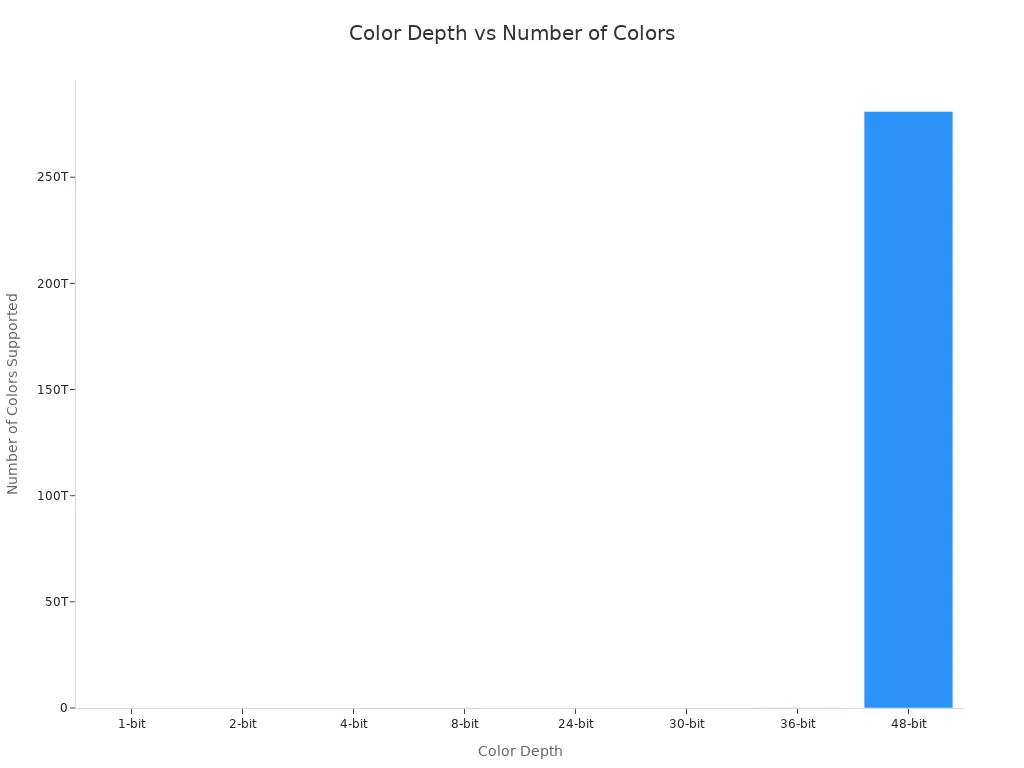
Most computer monitors and TVs use 24-bit color depth, which is enough for most people. Some high-end monitors and cameras use 30-bit or higher. These higher levels help with tasks like photo editing, where you need to see every tiny change in color.
Color depth plays a big role in digital photography and display technology. When you take a photo or watch a movie, the color depth decides how real and vibrant the image looks. Devices with higher color depth can show more details, smoother shadows, and better highlights. This makes your viewing experience much better.
Why Color Depth Matters
Image Quality
Color depth changes how images look on your screen. When you use a device with low color depth, you may see banding or harsh lines between colors. This makes photos and videos look flat or fake. High color depth lets you see smooth changes between shades. You notice more detail in shadows and highlights. For example, when you watch a sunset, you see many shades of orange and red. High color depth helps show these colors without gaps or blocks.
Note: Devices that support at least 10 bits per channel can show more colors and smoother gradients. This is important for high dynamic range (HDR) content, which needs both bright and dark shades to look real.
Color Accuracy
Color accuracy means how close the colors on your screen are to real life. You want your photos, games, and movies to look true to what you see with your eyes. High color depth helps your device show colors more correctly. This is important for creative work, like editing photos or making digital art. If your device has higher color depth, you can see more shades and tiny changes in color. This helps you spot mistakes and make better choices.
HDR content uses at least 10-bit color depth to show a wide range of shades.
Some advanced formats, like Dolby Vision, use up to 12 bits for even finer color changes.
A wide color gamut, such as DCI-P3 or Rec. 2020, works best with higher color depth.
Viewing Experience
Your viewing experience improves when you use a device with high color depth. You see richer colors, smoother transitions, and more lifelike images. This matters when you watch movies, play games, or look at photos. HDR content looks best with at least 10-bit color processing. This lets you see bright highlights and deep shadows at the same time. You feel more immersed in what you watch or play.
Color Depth Level | Experience Quality |
|---|---|
8-bit | Basic, some banding |
10-bit | Smooth, good for HDR |
12-bit | Excellent, pro-level HDR |
Tip: If you want the best picture, choose a device that supports high color depth and a wide color range.
Real-World Impact

Photos and Videos
Color depth is important for photos and videos. It helps pictures and movies look real. When color bit depth is higher, you see more shades in each pixel. This makes colors change smoothly. You do not see lines or blocks between colors. For example, in photos, you need enough color depth to show details in dark and bright areas. If the bit depth is low, you might see rough lines or missing colors. This makes the image look worse. In video editing, using more color depth stops banding in backgrounds. It also helps with small color changes. Scenes look more real and pull you in. This matters a lot for HDR content. HDR needs strong and correct colors to look lifelike.
Monitors and Screens
Monitors can show different amounts of color depth. This changes how good images look. Cheaper screens often use 6-bit color. They can show about 262,144 colors. You might see banding on these screens. Most mid-range monitors use 8-bit color. They can show about 16.7 million colors. This is good for most things. High-end screens use 10-bit or more. These screens show very smooth color changes. They are great for editing photos, making videos, and designing graphics.
Printing and Design
Color depth also matters for printing and design. It helps colors look right on paper. Most printers use sRGB or Adobe RGB. These standards let you use many colors. Adobe RGB has a bigger color range. It works better with higher color depth. This helps printed colors match what you see on your screen. Good printing and design need high color depth. This makes sure art and designs look bright and real on paper and screens. Artists and designers want their work to look the same everywhere.
Selecting Color Depth
Everyday vs. Professional Use
You do not need the highest color settings for daily tasks. If you browse the web, watch videos, or use social media, an 8-bit display works well. This level shows over 16 million colors, which is enough for most people. If you work with photos, videos, or design, you need more. Professional tools use higher bit depths to show more shades and smoother color changes. This helps you see every detail and make better edits.
Gaming and Photography Needs
Games and photos look better with more colors. Gamers want rich visuals and smooth transitions. Many gaming monitors use higher bit depths for this reason. Photographers and video editors need even more precision. They use displays with 10-bit or higher to see every shade. This helps with color grading and printing. You can compare the needs in this table:
Application Type | Color Depth Requirement | Purpose |
|---|---|---|
Gaming | Higher color depth | To create immersive experiences with rich visuals. |
Professional Photography | Even greater precision | For accurate color grading and high-quality printing. |
Film and visual effects teams also use high bit depths. They need correct color management and often work with 10-bit or even 16-bit files.
Balancing Quality and Performance
Choosing higher bit depth gives you better images, but it also increases file size and storage needs. Here are some things to consider:
Higher bit depths allow for more colors and shades, but they make files larger.
An 8-bit video supports 256 shades per channel. A 10-bit video supports 1,024 shades per channel.
A 10-bit video file can be 20% larger than an 8-bit file, but it offers four times the color levels per channel.
Cameras with higher bit depth capture more colors, but you need more storage.
Tip: Pick a color setting that matches your needs and your device’s limits. For most people, 8-bit is enough. For creative work, choose higher bit depth if your device supports it.
Color Depth Misconceptions
More Bits Equals Better Quality?
Many people think that more bits always mean better image quality. This is not always true. You may see a camera with 14-bit files and believe it will give you the best pictures. In reality, other factors matter too. If a camera sensor has a lot of noise, the extra bits do not help much. A clean 12-bit file can look better than a noisy 14-bit file. The quality of the sensor and how it handles shadows also play a big role. You should not judge image quality by bit depth alone.
Tip: Look for devices with good sensors and low noise, not just high bit numbers.
Color Depth vs. Resolution
You might confuse color depth with resolution. These two things are not the same. Color depth tells you how many colors you can see in an image. Resolution tells you how sharp and clear the image looks. Resolution counts the number of pixels across and down. More pixels give you more detail. More color depth gives you richer and smoother colors. Both are important, but they do different jobs.
Feature | What It Affects | Example |
|---|---|---|
Color Depth | Richness of colors | Smooth sky gradients |
Resolution | Sharpness and detail | Crisp edges in a photo |
Device Limitations
Not all devices can show high color depth. Many things can limit what you see. Cost is one reason. Making screens with more colors costs more money. The whole system must support high color depth, including the screen, cables, and video card. If one part cannot handle it, you will not see the extra colors. High color depth also needs stable hardware. If the system is not stable, you may see errors or glitches.
Limitation Type | Description |
|---|---|
Cost Considerations | Higher color depth increases the price of screens and parts. |
System Compatibility | Every part must support high color depth, not just the screen. |
Stability and Compatibility | High-bit-depth systems need strong and stable hardware. |
Different display types have their own limits:
Display Technology | Characteristics | Color Depth Limitations |
|---|---|---|
LCD | Steady brightness, less contrast | Colors may look faded at some angles |
LED | Better brightness and contrast than LCD | May not show deep blacks or strong colors |
OLED | Deep blacks, high color accuracy | Colors can look too bright or unnatural |
Device settings can change how colors look.
Most people do not adjust their screens, so colors may not be correct.
Changing brightness or contrast can also change how you see colors.
Ambient light in your room changes how you see colors on your screen. Sunlight and lamps can make colors look warmer or cooler.
You look at digital screens all the time. Learning about color depth helps you choose the best device. When you know how colors work, you can pick screens that show images better. This is important for art and jobs like medicine, where seeing every color is needed.
You get better results if your screen shows colors right.
You do not miss important details in pictures or videos.
You make better choices when you buy new screens.
Remember, picking the right screen can help your work and your daily life.
FAQ
What does color depth mean for your photos?
Color depth shows how many colors your photo can display. Higher color depth gives you smoother color changes and more detail. You see richer and more lifelike images.
What happens if your device has low color depth?
You may notice banding or harsh lines between colors. Images can look flat or fake. Low color depth limits the number of shades you see.
What color depth do most screens use?
Most screens use 8-bit color depth. This level supports about 16.7 million colors. It works well for daily tasks like browsing, watching videos, and gaming.
What should you check before buying a new monitor?
Check the color depth your monitor supports. Look for at least 8-bit for general use. If you edit photos or videos, choose a monitor with 10-bit or higher for better color accuracy.
See Also
Key Features To Consider For An Ideal Gaming Monitor
Exploring The Principles Of Naked Eye 3D Displays
Essential Features To Look For In OLED Televisions