What is E-Paper Technology and How Does It Work
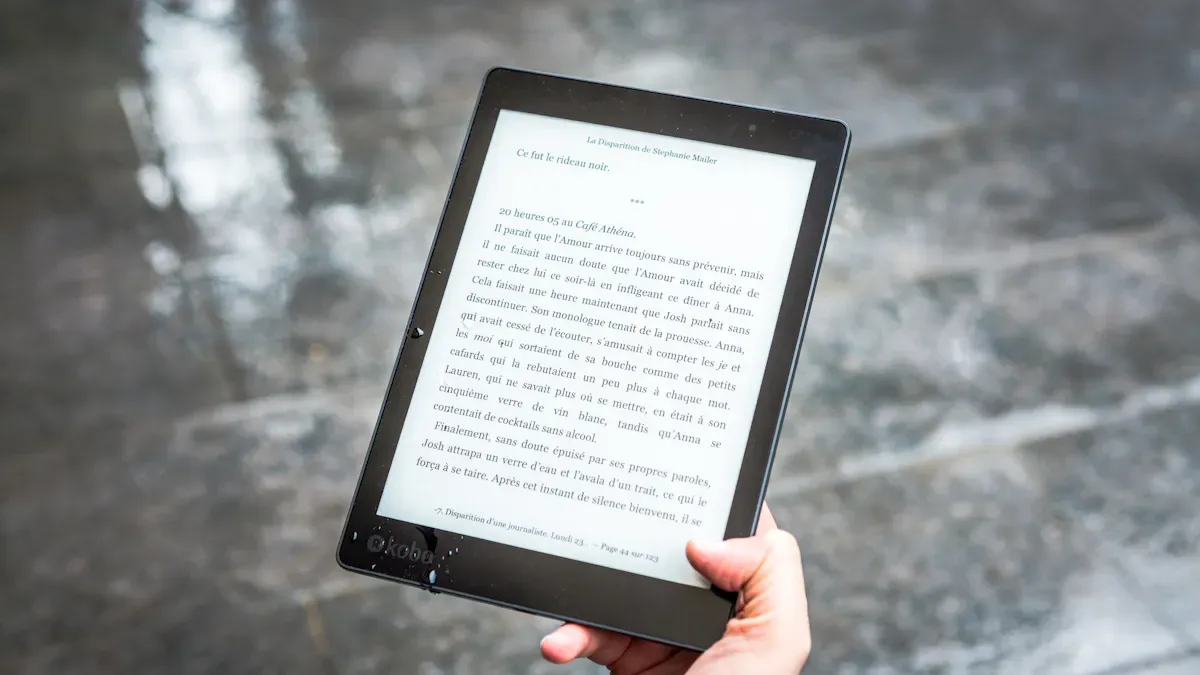
You see screens everywhere, but have you ever wondered how e-paper works? This technology creates displays that look and feel like real paper, making reading easy on your eyes. E-paper’s global market size hit $3.25 billion in 2024 and is expected to double by 2033. Why do so many people choose it? You get a paper-like experience, less glare, and lower power use than traditional screens. Take a look at BOE, a global leader in display innovation:
Metric | Value |
|---|---|
Global LCD Panel Shipments Rank | No. 1 |
Global OLED Panel Shipments Rank | No. 2 |
Let’s find out what makes this technology so special.
Key Takeaways
E-paper technology offers a comfortable reading experience by reflecting light, reducing eye strain compared to traditional screens.
E-paper displays use very little power, only consuming energy when content changes, which extends battery life significantly.
BOE leads in e-paper innovation, providing advanced displays that combine low blue light technology with smart features for better eye comfort.
E-paper is ideal for outdoor reading due to its glare-free surface, making it easy to read in bright sunlight.
The future of e-paper looks promising, with ongoing advancements leading to better performance and wider adoption in various sectors.
E-Paper Technology Overview
What Is E-Paper?
You might wonder what makes e-paper so different from other screens. E-paper, also called electronic paper, is a special kind of display that looks and feels like real paper. You see it in e-readers, smartwatches, and even digital price tags at the store. Most e-paper uses e-ink, which relies on tiny microcapsules filled with black and white particles. When you apply an electric field, these particles move up or down to form words or images. This process creates a clear, easy-to-read surface that does not shine light into your eyes.
Here’s how e-ink and epaper work:
E-ink uses electrophoretic microcapsules.
Each microcapsule holds positively charged white particles and negatively charged black particles.
An electric field moves these particles, making text or pictures appear.
Electrophoretic displays (EPD) are common in e-readers and electronic shelf labels.
EPDs only use power when you change the content, so your battery lasts longer.
E-Paper vs. Traditional Displays
You probably use LCD or LED screens every day. How does epaper compare? Let’s break it down:
Aspect | LCD Disadvantages | |
|---|---|---|
Power Consumption | Uses power only when changing content. Great for static displays. | Needs constant power to keep an image. Battery drains faster. |
Readability | Easy to read in bright light. No glare. Looks like ink on paper. | Backlighting causes glare. Hard to read in sunlight. |
Refresh Rates | Slower refresh rates. Best for static content. | Fast refresh rates. Good for video and animation. |
Flexibility & Durability | Flexible and durable. Some can bend. | Less flexible, but strong and common. |
Cost | Higher at first, but saves power over time. | Usually cheaper and easy to find. |
You get a more comfortable reading experience with e-paper. E-ink and epaper displays do not strain your eyes like regular screens.
BOE’s Role in E-Paper Innovation
You see e-paper everywhere, but you might not know who leads the way. BOE stands out as a global leader in display technology. The company pushes the boundaries of e-ink and epaper with advanced research and thousands of patents. BOE’s displays show up in e-readers, smart devices, and digital art frames. The company’s focus on innovation means you get better electronic paper products every year. In Asia-Pacific, especially China, BOE drives rapid growth in epaper adoption. You benefit from their commitment to making displays that are easy on your eyes and friendly to the planet.
How Does Epaper Work
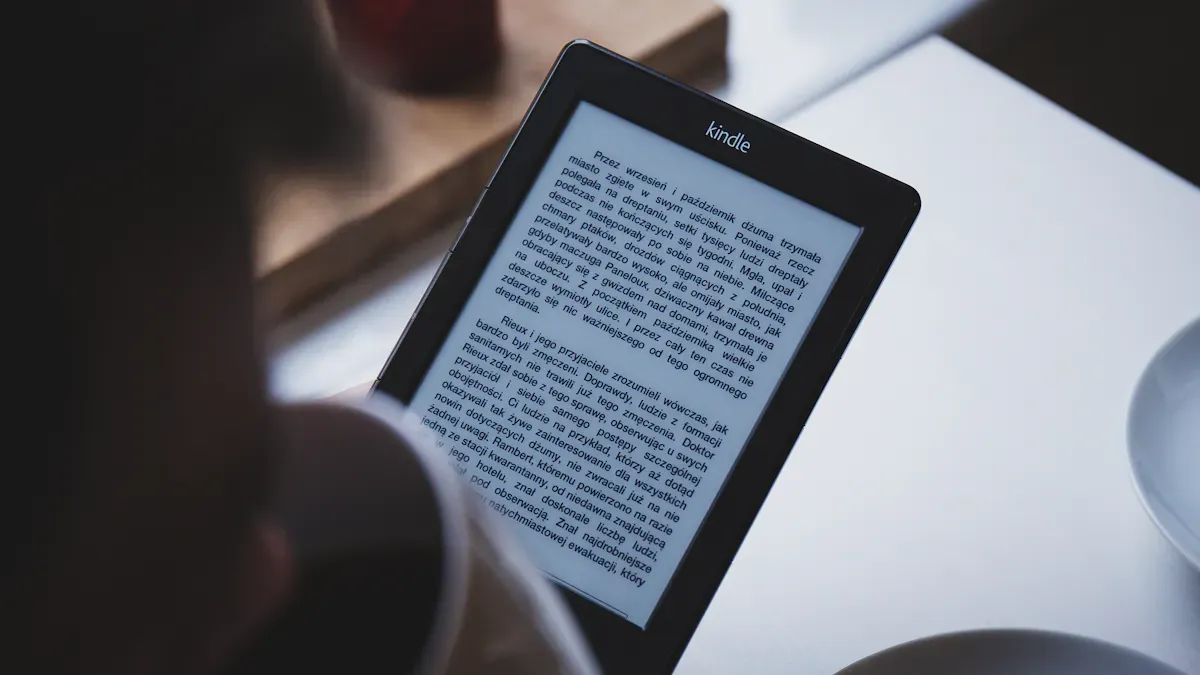
E-Paper Display Principles
You might wonder, how does epaper work? The secret lies in the way these displays use physics to create images that look just like ink on paper. E-paper, or electronic paper, uses several different methods to show text and pictures. The most common type is called electrophoretic display, but there are other cool technologies too.
Here’s a quick look at the main types of e-paper displays and how they work:
Technology Type | Principle Description |
|---|---|
Uses charged pigment particles that move when you apply an electric field. When the particles come to the front, the display looks white. When they move to the back, it looks dark. This is the main principle behind e-ink. | |
Electrowetting Display (EWD) | Changes the shape of a water and oil layer with voltage. This makes pixels switch from colored to white or transparent, depending on the voltage. |
Electrofluidic Display | Uses voltage to pull colored pigment from a reservoir, creating a film behind the screen. This gives you color and brightness that look like printed pigments. |
BOE leads the way in these technologies. The company holds over 100,000 patents, many focused on display innovation. You see BOE’s breakthroughs in everything from smart devices to classroom screens. Their research helps make e-paper more reliable, energy-efficient, and closer to real paper than ever before.
E-Ink and Other Technologies
Let’s dig deeper into e-ink, since it’s the most popular form of epaper. You’ll find e-ink in e-readers, digital art frames, and even smart price tags. So, how does epaper work at the microscopic level?
E-ink displays use tiny capsules filled with black and white particles. These particles have electric charges.
When you apply an electric field, the particles move up or down inside the capsule. If the white particles move to the top, you see white. If the black ones move up, you see black.
The capsules sit in a clear fluid, and a thin layer of polymer holds everything in place.
Some displays use microcups instead of capsules. This makes the display more flexible and durable.
By tweaking the polymer’s properties, engineers can make the display respond faster and show sharper images.
E-ink is just one type of electronic ink. Other types, like electrowetting and electrofluidic displays, use different tricks with fluids and pigments. These methods help bring color and brightness closer to what you see on real paper.
Here’s a quick comparison between general e-paper displays and e-ink:
Category | E-Paper Display (General) | E Ink Display |
|---|---|---|
Definition | Display category | Specific technology & supplier |
Technology Scope | Multiple display principles | Electrophoretic only |
Supplier Base | Fragmented | Centralized (E Ink Holdings) |
Standardization | Varies | High |
Long-Term Supply | Depends on vendor | Strong lifecycle control |
Driver Ecosystem | Inconsistent | Well established |
You’ll notice both e-paper and e-ink displays use very little power. They only need energy when you change the image. Both are easy to read in sunlight. Both have slow refresh rates, so they’re best for reading, not video. E-ink is famous for its reliability and has powered millions of devices worldwide.
Paper-Like Experience Explained
Why do people say epaper feels like reading real paper? The answer comes from the way these displays reflect light and show color.
Feature | Description |
|---|---|
Electrowetting | Gives high reflectivity and contrast, just like pigments on paper. |
Color Reproduction | Lets one sub-pixel switch between two colors, making images more vivid. |
Brightness | Can be up to four times brighter than reflective LCDs, so you see clearly even in sunlight. |
Electrofluidic Technology | Uses pigment dispersions to create color and brightness like printed paper. |
Reflectance | Achieves over 85% white state reflectance, making the screen look almost exactly like paper. |
You get a comfortable, glare-free reading experience. Your eyes don’t get tired, even after hours of use. BOE’s displays, like the 画屏55寸 and 画屏32英寸, use advanced e-ink and electronic ink technology. These products combine low blue light, smart brightness adjustment, and wide viewing angles. You can enjoy art, books, or lessons with a display that feels as natural as paper.
BOE’s technical leadership means you get the best of both worlds: the convenience of digital and the comfort of traditional paper. The company’s ongoing research and patent achievements keep pushing the boundaries of what epaper can do.
So, next time you pick up an e-reader or see a digital art frame, you’ll know exactly how epaper works—and why it feels so much like the real thing.
E-Paper Benefits
Eye Comfort and Low Power
If you spend a lot of time looking at screens, you know how tired your eyes can get. E-paper changes that. You get a comfortable reading experience because electronic paper does not shine bright light directly into your eyes. Instead, it reflects ambient light, just like real paper. This makes a huge difference, especially if you read for hours.
Researchers have looked into this. Take a look at what they found:
Study | Findings |
|---|---|
Displays with brighter, bluer light cause higher levels of stress on retinal cells. | |
Université Paris Study (2013) | LCD users blink more often, showing more visual fatigue, and feel more tired than e-ink users. |
Zhejiang University (2020) | Reading on OLED screens can lead to eye discomfort, but e-ink minimizes discomfort in any light. |
You can see why so many people choose e-paper for reading and learning. These displays use low power consumption, too. They only need energy when you turn a page or change the image. That means your device battery lasts much longer. You can read for days without worrying about charging.
BOE takes eye comfort to the next level. Their displays, like the 画屏55寸 and 画屏32英寸, use advanced low blue light technology. This reduces the amount of harmful blue light that reaches your eyes. You get TÜV-certified protection, so you can read, study, or enjoy art without feeling tired.
Tip: If you want to protect your eyes, try switching to electronic paper displays for your daily reading.
Readability and Paper-Like Experience
Have you ever tried reading on your phone outside on a sunny day? It’s tough. Glare makes it almost impossible. E-paper displays solve this problem. They reflect light instead of emitting it, so you get clear text and images in any lighting. This is what people call paper-like readability.
Studies show that e-paper displays help you read longer and feel better. For example:
Study Description | Findings |
|---|---|
E Ink vs OLED | E Ink displays produce 50% less eye fatigue during long reading sessions than backlit screens. |
Longitudinal Study | Regular E Ink users reported 35% fewer headaches and 28% less visual fatigue than OLED users. |
You get a paper-like experience that feels natural. The screen does not flicker or glare. You can read in bright sunlight or a dim room. Your eyes stay relaxed, and you can focus on the content, not the screen.
BOE Product Features (画屏55寸, 画屏32英寸)
BOE’s displays stand out for their smart features and attention to your comfort. The 画屏55寸 and 画屏32英寸 both use advanced eye protection technology. You get a wide 178° viewing angle, so you can see the screen clearly from almost anywhere in the room. The smart brightness adjustment changes the display based on your environment. You don’t have to squint or adjust settings yourself.
Here’s what you can expect from these BOE products:
TÜV-certified low blue light for healthier eyes
No flicker, so your eyes stay relaxed
Smart sensors that adjust brightness automatically
Wide viewing angles for group sharing or family use
Built-in art galleries for a beautiful home or office
You can switch between different systems and connect with USB, HDMI, or wireless. The displays fit perfectly in homes, schools, or businesses. You get a comfortable reading experience and a display that looks and feels like real paper.
If you want a display that combines technology and art, BOE’s electronic paper products give you the best of both worlds. You get smart features, paper-like readability, and a screen that cares for your eyes.
Applications of E-Paper
E-Readers and Tablets
You probably know someone who uses e-readers every day. These devices have changed the way people read books, magazines, and even newspapers. E-readers use epaper displays to give you a comfortable, paper-like reading experience. You can read outside in bright sunlight or inside at night without straining your eyes. Tablets with epaper displays are also becoming popular for note-taking and sketching. You get long battery life because these displays only use power when you turn a page. If you love reading, you’ll appreciate how e-readers make it easy to carry thousands of books in your bag.
BOE Art Screens for Home and Business
You might want your living room or office to look stylish and modern. BOE’s art screens, like the 画屏55寸 and 画屏32英寸, bring art and technology together. These displays use advanced epaper technology to show beautiful artwork with a paper-like finish. You can switch between classic paintings, family photos, or business messages with just a tap. Here’s what makes these art screens stand out:
The AI Media Center lets you set up profiles for each family member.
Parents can create child-friendly profiles with content restrictions for safe viewing.
The system uses AI to recommend art and content based on your preferences.
You get a personalized experience that fits your style. Businesses use these displays in lobbies, meeting rooms, and even storefronts. They save energy and look great from every angle.
Classroom Solutions and Smart Education
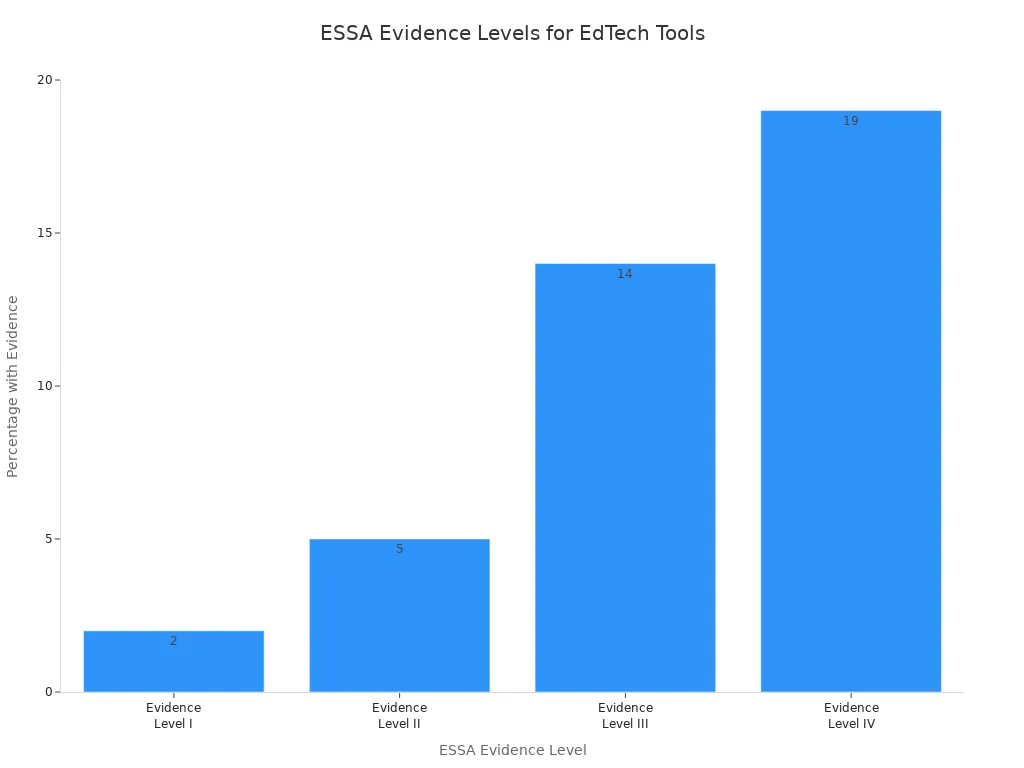
You see more schools using epaper displays in the classroom. Teachers and students benefit from interactive whiteboards and tablets that protect their eyes and make learning fun. BOE’s classroom solutions use special displays that reduce blue light and glare. Students can focus longer and feel less tired. Research shows that purpose-built educational tools, like BOE’s classroom screens, have stronger evidence for improving learning outcomes compared to general consumer tools.
Type of Tool | Percentage with ESSA-aligned Evidence | Evidence Level I | Evidence Level II | Evidence Level III | Evidence Level IV |
|---|---|---|---|---|---|
Purpose-built EdTech Tools | 40% | 2% | 5% | 14% | 19% |
General Consumer Tools | 2% | N/A | N/A | N/A | N/A |
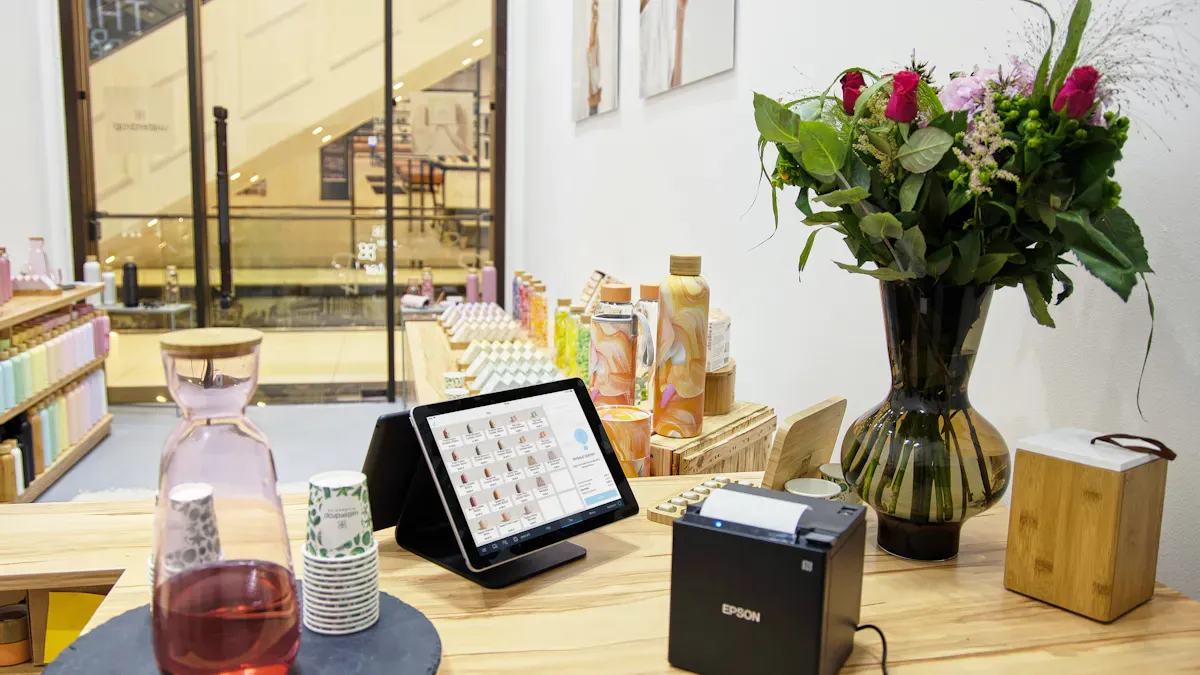
You also find BOE’s epaper displays in smart city and retail environments. Stores use them for digital shelf labels and colorful signs that use almost no power. Cafés and shops create immersive experiences with large-format displays in windows and on walls. These solutions help businesses save energy and attract customers with eye-catching visuals.
Tip: If you want to upgrade your home, school, or business, consider epaper displays for a modern, eco-friendly touch.
Advancements and Challenges
Recent E-Paper Innovations
You might think e-paper hasn’t changed much, but the field keeps moving forward. Companies like BOE and others have introduced some exciting new features. Take a look at these recent developments:
Date of Development | Company Name | Brief Summary of the Development |
|---|---|---|
N/A | BOE | Launch of a new flexible E ink display for wearable applications |
N/A | Other Company | Approval of a novel electrofluidic display technology for dashboards |
N/A | Other Company | Unveiling of a full color E paper display for digital signage |
You can now find flexible e-paper for wearables, color displays for signs, and even new tech for car dashboards. BOE leads the way with its flexible displays, making it easier to use e-paper in smartwatches and fitness bands. These advancements in e-ink technology mean you get more choices and better performance.
Limitations of E-Paper Displays
E-paper is great for reading and art, but it does have some limits. Here’s a quick look at what you might notice:
Limitation Type | Description |
|---|---|
Refresh Rate | E-Ink panels have slow refresh rates, making animations and videos appear choppy. |
Color Reproduction | The color reproduction is muted compared to LED screens, unsuitable for professional graphics. |
Durability | While generally durable, E-Ink screens can crack if dropped despite using solid-state parts. |
You might find that e-paper isn’t the best for watching videos or editing photos. The colors look softer, and the screen refreshes slowly. Most e-paper screens are tough, but dropping one can still cause cracks.
Future Prospects for Epaper
You can expect big things from e-paper in the future. BOE invests heavily in research and development, holding over 100,000 patents worldwide. The company works on combining AMOLED features with e-paper to boost display quality. You’ll see improvements like lower power use, better touch controls, and lighter, more flexible screens. BOE’s technology already cuts power consumption by up to 70% compared to traditional AMOLED displays.
E-paper adoption keeps growing, especially in North America and Europe. These regions lead the way because of strong tech and green policies. Asia-Pacific is catching up fast, thanks to booming manufacturing and government support for sustainable tech. Even Latin America and the Middle East are starting to use e-paper in retail and logistics. You’ll see e-paper everywhere—from smart labels to classroom screens—as the technology keeps improving.
Note: The future looks bright for e-paper. You’ll get more choices, better performance, and greener solutions as the technology evolves.
You’ve seen how e-paper gives you clear, comfortable reading with low power use. It works well outdoors, saves energy, and helps the environment by reducing paper waste. You might notice some limits, like higher costs and fewer colors, but ongoing research keeps making e-paper better. BOE leads the way with smart, eye-friendly displays for homes, schools, and businesses. If you want a screen that feels like paper, e-paper is a smart choice. The future looks bright as BOE pushes e-paper technology forward.
FAQ
What makes e-paper different from regular screens?
You see e-paper reflect light instead of shining it into your eyes. This gives you a comfortable, paper-like reading experience. You can read outside without glare. E-paper also uses less power than regular screens.
Can e-paper displays show real time data?
Yes, you can use e-paper for real time data updates. Many smart devices and digital signs use e-paper to show changing information, like weather or schedules, while still saving energy.
How does e-paper help with environmental sustainability?
You help the planet when you use e-paper. These displays use less electricity and last longer. You also reduce paper waste, which supports environmental sustainability.
Are BOE’s e-paper products good for long reading sessions?
You get less eye strain with BOE’s e-paper screens. The low blue light and no-flicker design make them perfect for reading, studying, or enjoying art for hours.
Where can I use BOE’s e-paper displays?
You can use BOE’s e-paper in homes, schools, offices, and stores. They work well for art displays, classroom screens, and digital signs. You get flexible options for many needs.
See Also
Exploring The Basics Of MLED Technology Today
Understanding Smart Board Interactive Whiteboards And Their Functionality
A Comprehensive Guide To Smart Window Technology For Buildings